
Python is interesting. Today, I will show you how to start a Python for loop at index 1 using different methods and examples.
To start a for loop at index 1 in Python, you can use the range() function by specifying the starting index. For example, if you have a list cities= ['Alice', 'Bob', 'Charlie', 'David'], you can iterate starting from index 1 with for i in range(1, len(cities)):. This will allow you to process elements from the second item onward, making it an effective way to skip the first element and start the loop at index 1.
Python for loop index start at 1
In Python, the default behavior of a for loop is to start at index 0. However, there are scenarios where you might want to start the loop at index 1. Now, let me show you different methods to do so.
Method 1: Using the range() Function
The best way to start a for loop at index 1 in Python is by using the range() function. By specifying the starting index as 1, you can directly control the range of indices over which the loop iterates.
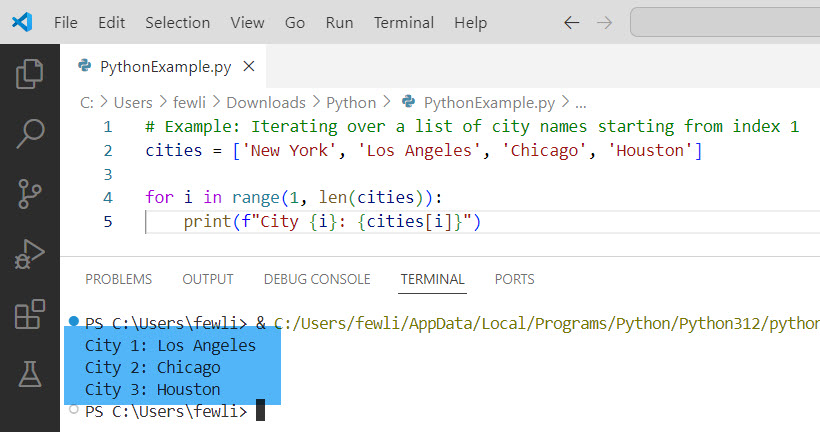
# Example: Iterating over a list of city names starting from index 1
cities = ['New York', 'Los Angeles', 'Chicago', 'Houston']

for i in range(1, len(cities)):
    print(f"City {i}: {cities[i]}")
In this example, the loop starts at index 1 and prints the names of cities from the second element onward. This method is simple and effective for cases where you need to skip the first element.
After executing the above Python code, the exact output is in the screenshot below.
Method 2: Using enumerate() with a Start Index
The enumerate() function in Python is useful for iterating over a list while keeping track of the index. By default, enumerate() starts at index 0, but you can specify a different starting index.
# Example: Enumerating over a list of tasks starting from index 1
tasks = ['Task A', 'Task B', 'Task C', 'Task D']

for index, task in enumerate(tasks, start=1):
    print(f"Task {index}: {task}")
This approach is particularly useful when you need both the index and the value during iteration. It makes the code cleaner and avoids manually managing the index.
Check out How to Stop a While Loop in Python
Method 3: Slicing the List
Another method to start a for loop at index 1 in Python is to slice the list and then iterate over the sliced portion. This method is useful when working with a subset of the list.
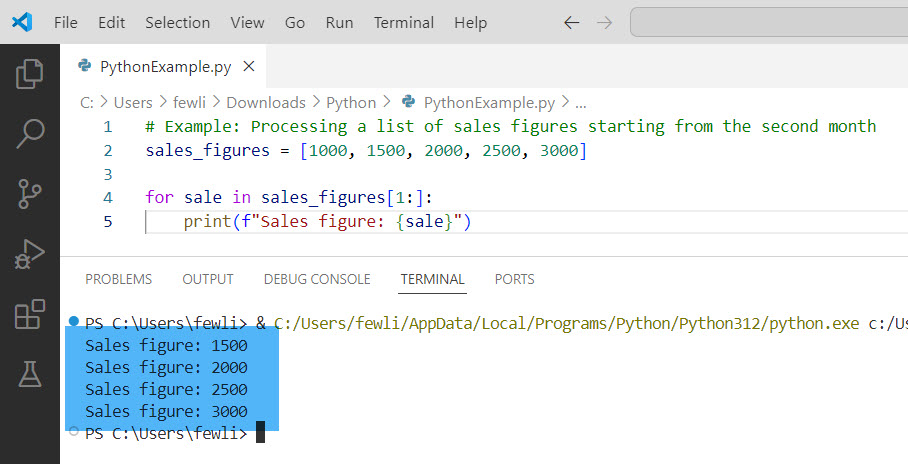
# Example: Processing a list of sales figures starting from the second month
sales_figures = [1000, 1500, 2000, 2500, 3000]

for sale in sales_figures[1:]:
    print(f"Sales figure: {sale}")
In this example, the loop processes sales figures starting from the second month. List slicing allows you to create a new list that excludes the first element, making the iteration start at index 1.
Here is the output in the screenshot below:
Check out How to Exit a For Loop in Python?
Method 4: Using a Custom Counter
If you need more control over the loop, you can use a custom counter to start at index 1. Let me show you an example of “Python for loop index start at 1”.
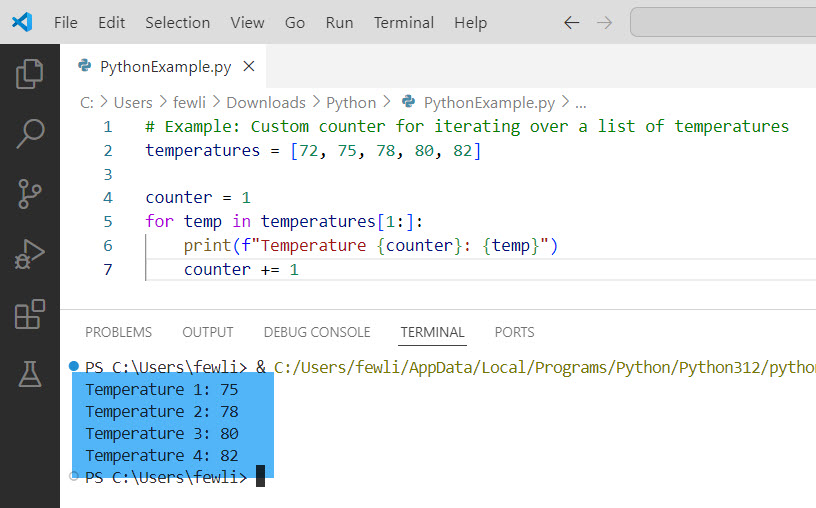
# Example: Custom counter for iterating over a list of temperatures
temperatures = [72, 75, 78, 80, 82]

counter = 1
for temp in temperatures[1:]:
    print(f"Temperature {counter}: {temp}")
    counter += 1
Here, a custom counter variable keeps track of the index, starting from 1. This approach allows you to manage the index manually.
Here is the output in the screenshot below:
Conclusion
Starting a for loop at index 1 in Python can be achieved through various methods, such as using the range() function, enumerate(), list slicing, or a custom counter, etc. I have also explained each method with a few real examples. Does this help you?
You may also like:

I’m Michelle Gallagher, a Senior Python Developer at Lumenalta based in New York, United States. I have over nine years of experience in the field of Python development, machine learning, and artificial intelligence. My expertise lies in Python and its extensive ecosystem of libraries and frameworks. Throughout my career, I’ve had the pleasure of working on a variety of projects that have leveraged my skills in Python and machine learning. Read more…