
Someone recently asked about the square root function in Python. In this tutorial, I will explain about the sqrt() function with examples.
To calculate the square root of a number in Python, you can use the math.sqrt() function from the built-in math module. First, import the module using import math, then call the function with your number as the argument, like this: math.sqrt(16), which will return 4.0.
Python math.sqrt() Function
The square root of a number ( x ) is a number ( y ) such that ( y^2 = x ). For example, the square root of 9 is 3 because ( 3^2 = 9 ).
Python makes it incredibly easy to calculate the square root of a number using the math.sqrt() function. This function is part of the built-in math module, which provides access to mathematical functions.
Syntax
The syntax for the math.sqrt() function is:
import math

math.sqrt(x)
Here, x is the number for which you want to find the square root. It must be a non-negative number.
Import the Math Module
Before you can use math.sqrt(), you need to import the math module. Here’s how you do it:
import mathCheck out COUNT() Function in Python
Examples
Let me show you some practical examples to understand how to use the math.sqrt() function in Python.
Example 1: Calculate the Square Root of a Positive Number
Here is the complete Python code to calculate the square root of a positive number.
import math

number = 16
result = math.sqrt(number)
print(f"The square root of {number} is {result}")
Output:
The square root of 16 is 4.0In this example, we calculate the square root of 16, which is 4.
I executed the Python code using VS code, and you can see the output in the screenshot below:

Example 2: Using Variables
Here is another example of using variables to calculate the square root of a positive number in Python.
import math

johns_age = 49
sqrt_age = math.sqrt(johns_age)
print(f"The square root of John's age ({johns_age}) is {sqrt_age}")
Output:
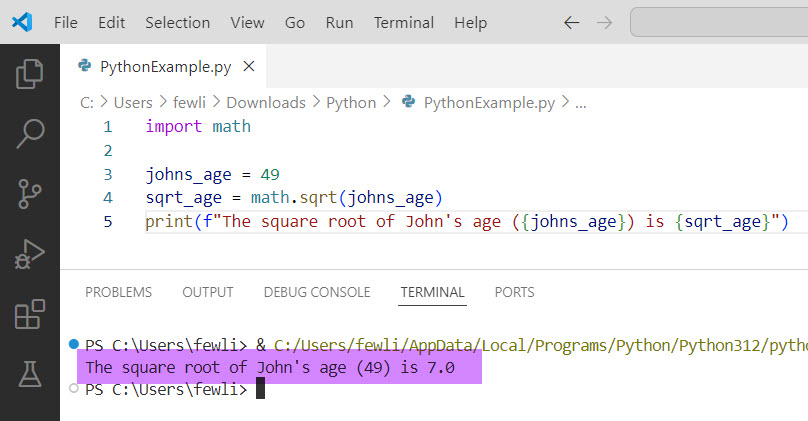
The square root of John's age (49) is 7.0Here, we use a variable johns_age to store the number 49 and calculate its square root.
You can see the exact output in the screenshot below:
Example 3: Handle User Input
Here is another example of handling user input and finding the square root of a number.
import math

number = float(input("Enter a number: "))
sqrt_number = math.sqrt(number)
print(f"The square root of {number} is {sqrt_number}")
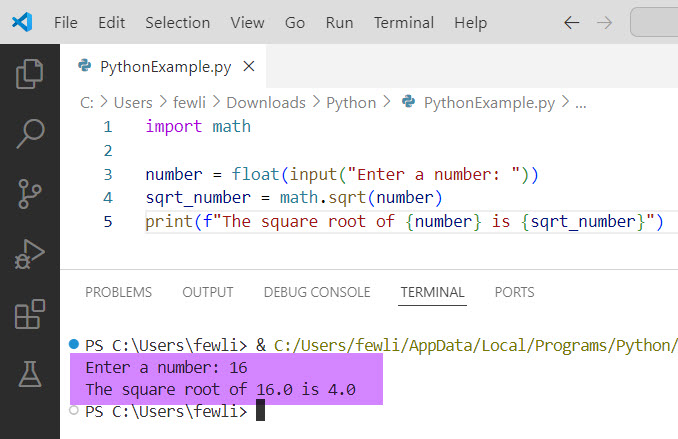
In this example, we take user input, convert it to a float, and then calculate the square root.
Here is the output in the screenshot below:
Error Handling
The math.sqrt() function will raise a ValueError if you try to calculate the square root of a negative number. Here’s how you can handle this:
import math

number = -25

try:
    result = math.sqrt(number)
    print(f"The square root of {number} is {result}")
except ValueError as e:
    print(f"Error: {e}")
Output:
Error: math domain errorConclusion
In this tutorial, I explained the basics of calculating square roots in Python using the math.sqrt() function. I have also taken various examples and discussed error handling.
You may also like:

I’m Michelle Gallagher, a Senior Python Developer at Lumenalta based in New York, United States. I have over nine years of experience in the field of Python development, machine learning, and artificial intelligence. My expertise lies in Python and its extensive ecosystem of libraries and frameworks. Throughout my career, I’ve had the pleasure of working on a variety of projects that have leveraged my skills in Python and machine learning. Read more…