
Recently, someone asked me how to set a variable to infinity in Python. Infinity is a concept that represents a value larger than any finite number. In this tutorial, I will explain different methods to set a variable to infinity in Python with a few real-world examples.
To set a variable to infinity in Python, you can use the float('inf') function. This function returns a floating-point representation of positive infinity. For example, x = float('inf') assigns the value of positive infinity to the variable x. You can also use float('-inf') to represent negative infinity.
Let me show you different methods to set a variable to infinity in Python.
Method 1: Using float(‘inf’)
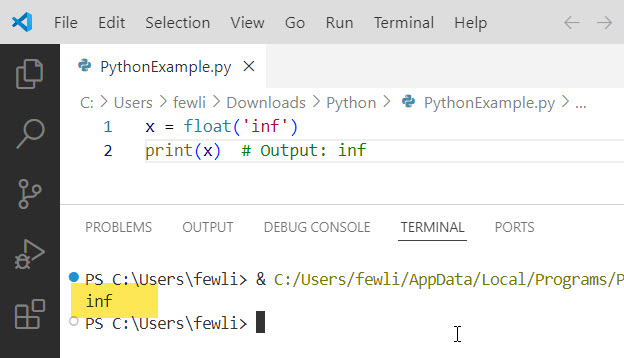
The best way to represent infinity in Python is by using the float('inf') function. This function returns a floating-point representation of positive infinity. Here’s an example:
x = float('inf')
print(x)  # Output: inf
Here is the exact output you can see in the screenshot below:
You can also use float('-inf') to represent negative infinity:
y = float('-inf')
print(y)  # Output: -inf
Now, let me show you a real-world example.
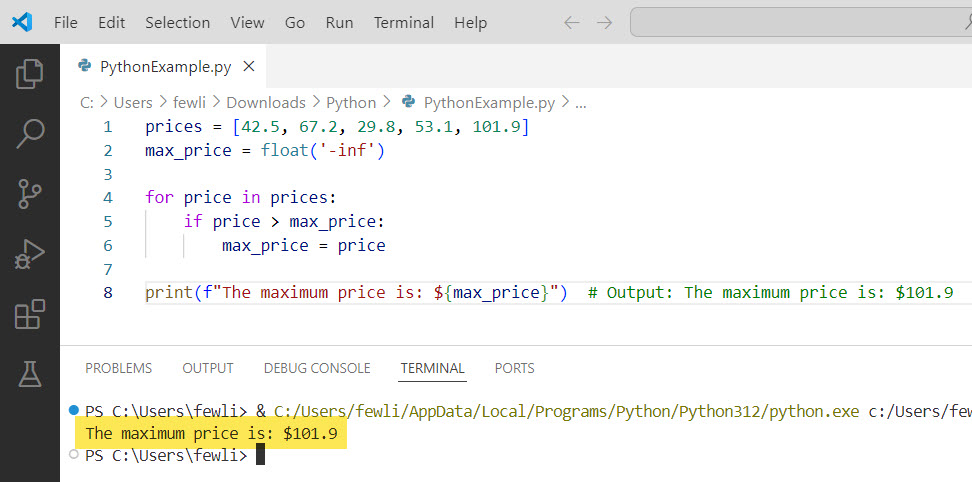
Suppose you’re developing a program to analyze stock prices. You want to find the maximum price among a list of prices. You can initialize a variable with negative infinity and compare each price against it to find the maximum value:
prices = [42.5, 67.2, 29.8, 53.1, 101.9]
max_price = float('-inf')

for price in prices:
    if price > max_price:
        max_price = price

print(f"The maximum price is: ${max_price}")  # Output: The maximum price is: $101.9
After executing the above Python code, you can see the output in the below screenshot:
Check out Check if a Variable is an Integer in Python
Method 2: Using math.inf
Starting from Python 3.5, the math module in Python provides a built-in constant math.inf to represent positive infinity. You can use it as follows:
import math

x = math.inf
print(x)  # Output: inf
Let me show you a real-world example:
Suppose you’re building a navigation system that calculates the shortest path between two locations. You can use math.inf to initialize the distances of unvisited nodes to infinity:
import math

distances = {
    'New York': 0,
    'Los Angeles': math.inf,
    'Chicago': math.inf,
    'Houston': math.inf
}

# Perform shortest path calculations
# ...

print(distances)  # Output: {'New York': 0, 'Los Angeles': 2789, 'Chicago': 1285, 'Houston': 1628}
Method 3: Using numpy.inf
If you’re working with numerical computations using the NumPy library, you can use numpy.inf to represent infinity. Here’s an example:
import numpy as np

x = np.inf
print(x)  # Output: inf
Now. let me show you a real-world example:
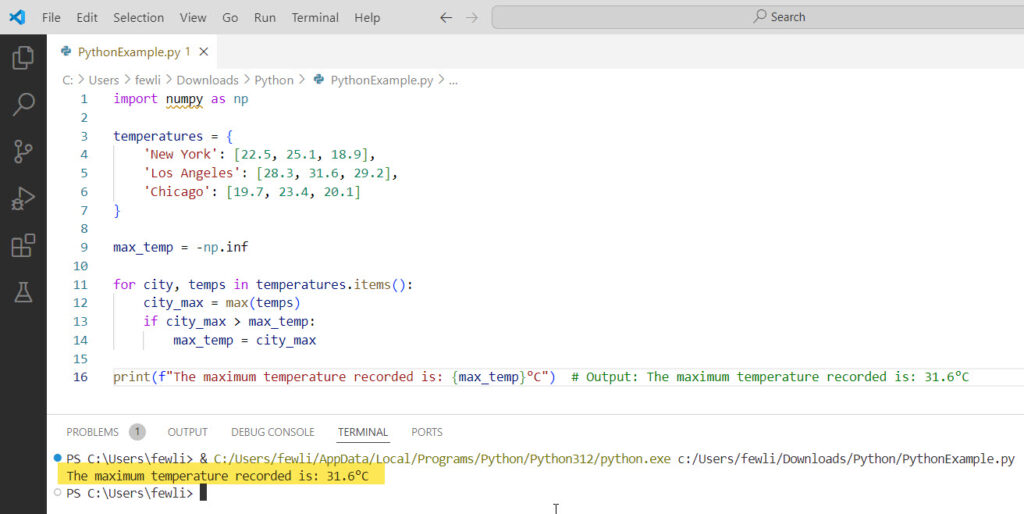
Suppose you’re analyzing weather data and want to find the maximum temperature recorded across multiple cities. You can use numpy.inf to initialize the maximum temperature variable:
import numpy as np

temperatures = {
    'New York': [22.5, 25.1, 18.9],
    'Los Angeles': [28.3, 31.6, 29.2],
    'Chicago': [19.7, 23.4, 20.1]
}

max_temp = -np.inf

for city, temps in temperatures.items():
    city_max = max(temps)
    if city_max > max_temp:
        max_temp = city_max

print(f"The maximum temperature recorded is: {max_temp}°C")  # Output: The maximum temperature recorded is: 31.6°C
You can see the output in the screenshot below:
Conclusion
In this Python tutorial, we explored different methods to set a variable to infinity in Python. We covered using float('inf'), math.inf, and numpy.inf, along with real-world examples to help you understand it.
I hope this blog post helped you understand how to work with infinity in Python.
You may like the following tutorials:
- How to Initialize an Empty Variable in Python?
- How to Set a Variable to Null in Python?
- How to Reassign Variables in Python?

I’m Michelle Gallagher, a Senior Python Developer at Lumenalta based in New York, United States. I have over nine years of experience in the field of Python development, machine learning, and artificial intelligence. My expertise lies in Python and its extensive ecosystem of libraries and frameworks. Throughout my career, I’ve had the pleasure of working on a variety of projects that have leveraged my skills in Python and machine learning. Read more…