
I usually take a few questions from the audience in our New York Python user group. Someone asked an important question related to Python functions. In this tutorial, I will explain various methods for using optional arguments in Python functions with examples.
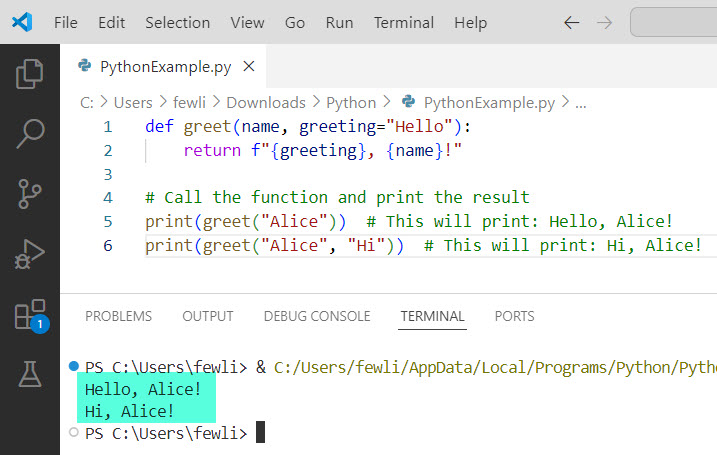
To use optional arguments in Python, you can assign default values to parameters in the function definition. This means that if the caller does not provide a value for an optional argument, the function will use the default value specified. For example, in the function def greet(name, greeting="Hello"): return f"{greeting}, {name}!", the greeting parameter is optional. If you call greet("Alice"), it will return "Hello, Alice!", but you can also customize the greeting by calling greet("Alice", "Hi"), which will return "Hi, Alice!".
What Are Optional Arguments in Python?
Optional arguments in Python allow you to specify default values for one or more parameters in your function definition. If the caller of the function does not provide a value for an optional argument, the function uses the default value you specified.
Syntax of Optional Arguments
The syntax for defining a function with optional arguments is easy. Here’s a basic example:
def greet(name, greeting="Hello"):
    return f"{greeting}, {name}!"

# Call the function and print the result
print(greet("Alice"))  # This will print: Hello, Alice!
print(greet("Alice", "Hi"))  # This will print: Hi, Alice!
In this example, the greeting parameter is optional. If you call greet("Alice"), it will return "Hello, Alice!". If you call greet("Alice", "Hi"), it will return "Hi, Alice!".
You can see the exact output in the screenshot below:
Why Use Optional Arguments in Python?
Optional arguments make your Python functions more flexible and easier to use. They allow you to provide default behavior while still giving the caller the option to customize the function’s behavior. This can be particularly useful in scenarios where you have a common case that you want to handle by default, but also want to allow for special cases.
Check out Python Function Within Function
Python Functions with Optional Arguments
Now, let me show you how to use optional arguments in Python functions.
Using Default Values
The best way to define optional arguments is by assigning default values in the Python function definition. Here’s another example:
def calculate_total(price, tax=0.05, discount=0):
    return price + (price * tax) - discount
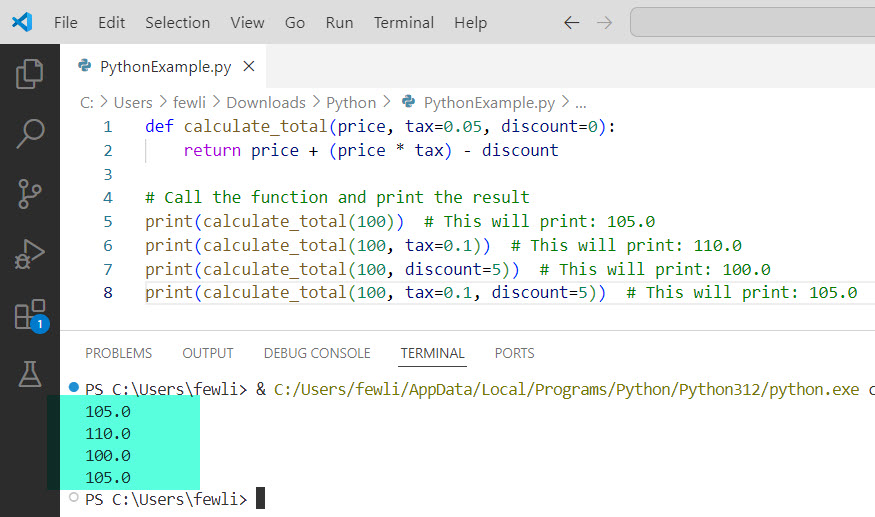
In this function, tax and discount are optional arguments with default values of 0.05 and 0, respectively. You can call this function with just the price, or you can provide values for tax and discount if needed.
def calculate_total(price, tax=0.05, discount=0):
    return price + (price * tax) - discount

# Call the function and print the result
print(calculate_total(100))  # This will print: 105.0
print(calculate_total(100, tax=0.1))  # This will print: 110.0
print(calculate_total(100, discount=5))  # This will print: 100.0
print(calculate_total(100, tax=0.1, discount=5))  # This will print: 105.0
You can see the exact output in the screenshot below:
Using *args and **kwargs
Python also provides *args and **kwargs to handle a variable number of arguments. *args is used to pass a non-keyworded, variable-length argument list, while **kwargs allows you to pass keyworded, variable-length arguments.
Example with *args:
def print_numbers(*args):
    for number in args:
        print(number)

print_numbers(1, 2, 3, 4)
Example with **kwargs:
def print_info(**kwargs):
    for key, value in kwargs.items():
        print(f"{key}: {value}")

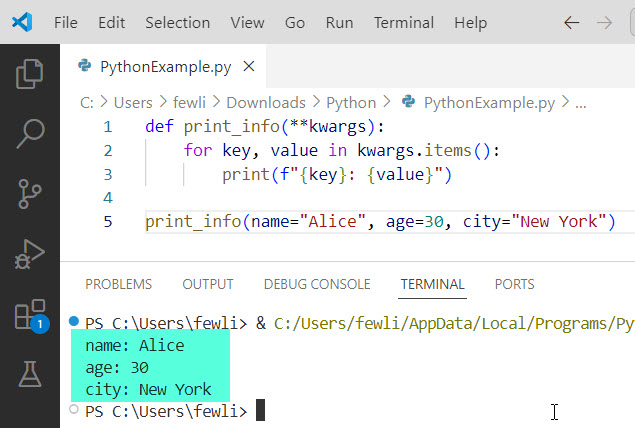
print_info(name="Alice", age=30, city="New York")
You can see the output in the screenshot below:
Check out Call a Function in Python
Combine Positional, Default, and Keyword Arguments
You can combine positional, default, and keyword arguments in a single function. Here’s an example:
def order_summary(item, quantity=1, **details):
    summary = f"Order: {quantity} x {item}"
    for key, value in details.items():
        summary += f", {key}: {value}"
    return summary

print(order_summary("Laptop", color="Silver", warranty="2 years"))
In this function, item is a positional argument, quantity is an optional argument with a default value, and details is a keyword argument that can accept additional information.
Best Practices for Using Optional Arguments in Python Functions
- Use Meaningful Default Values: Ensure that default values are meaningful and represent a common case.
- Avoid Mutable Default Values: Using mutable types (like lists or dictionaries) as default values can lead to unexpected behavior. Instead, use
Noneand handle it within the function. - Document Your Functions: Clearly document your function’s behavior, including the default values and how they affect it.
You can write more flexible and user-friendly code by incorporating optional arguments into your Python functions. In this tutorial, I have explained how to use optional arguments in Python functions.
You may also like the following tutorials:
- Python Function Examples with Parameters
- Return Multiple Values from a Function in Python
- How to End a Function in Python?

I’m Michelle Gallagher, a Senior Python Developer at Lumenalta based in New York, United States. I have over nine years of experience in the field of Python development, machine learning, and artificial intelligence. My expertise lies in Python and its extensive ecosystem of libraries and frameworks. Throughout my career, I’ve had the pleasure of working on a variety of projects that have leveraged my skills in Python and machine learning. Read more…