
While discussing over weekend sessions at the Python New York user group, I thought about writing about Python for loops with some examples. In this tutorial, I will explain everything related to for loop in Python, like its syntax, usage, and a few examples.
What is a For Loop in Python?
A for loop in Python is used to iterate over a sequence (such as a list, tuple, string, or dictionary) or any iterable object. It allows you to execute a block of code repeatedly for each item in the sequence.
The basic syntax of a for loop in Python is as follows:
for item in sequence:
    # Code block to be executed for each item
Here, item is a variable that takes on the value of each element in the sequence one by one. The code block indented under the for statement is executed for each iteration.
Here is a simple example of how to use the for loop in Python.
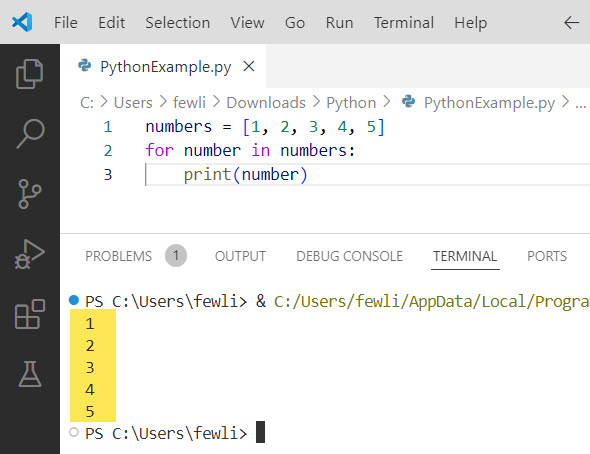
numbers = [1, 2, 3, 4, 5]
for number in numbers:
    print(number)
In this example, we create a list called numbers containing the values 1 to 5. The for loop then iterates over each item in the numbers list, and the code block prints each number. This way, we print numbers from 1 to 5 without using the range function.
You can see the exact output in the screenshot below after I executed the above Python code.
Check out How to Exit a For Loop in Python?
Iterate Over Different Data Structures using For Loop
Now, let me show you how you can use the for loop in Python to iterate over different data structures.
Lists
Lists are one of the most common data structures used with for loops in Python. Here’s an example of iterating over a list of fruits:
sports = ['baseball', 'basketball', 'football']
for sport in sports:
    print(sport)
In this example, the for loop iterates over each sport in the sports list and prints it.
Tuples
Tuples are similar to lists but are immutable. You can iterate over a tuple in the same way as a list:
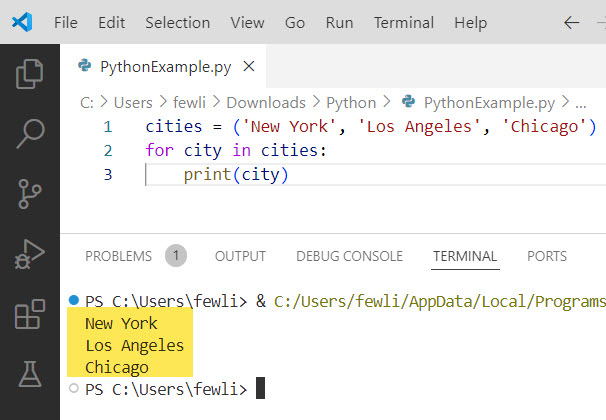
cities = ('New York', 'Los Angeles', 'Chicago')
for city in cities:
    print(city)
In this example, the for loop iterates over each city in the cities tuple and prints it. You can see the output in the screenshot below:
Strings
Strings are also iterable, meaning you can loop through each character in a string:
message = "Welcome to the USA!"
for char in message:
    print(char)
In this example, the for loop iterates over each character in the message string and prints it.
Dictionaries
When iterating over dictionaries, you can loop through the keys, values, or key-value pairs:
person = {'name': 'Alice', 'age': 25, 'city': 'New York'}

# Iterate over keys
for key in person:
    print(key)

# Iterate over values
for value in person.values():
    print(value)

# Iterate over key-value pairs
for key, value in person.items():
    print(f'{key}: {value}')
Check out How to Check if an Environment Variable Exists in Python?
Use the range() Function in Python For Loop
Python provides a built-in range() function that generates a sequence of numbers. It is commonly used in for loops to iterate a specific number of times.
The range() function takes three arguments: start (optional, default is 0), stop (required), and step (optional, default is 1).
Here’s an example of how to use the range() function in a for loop in Python
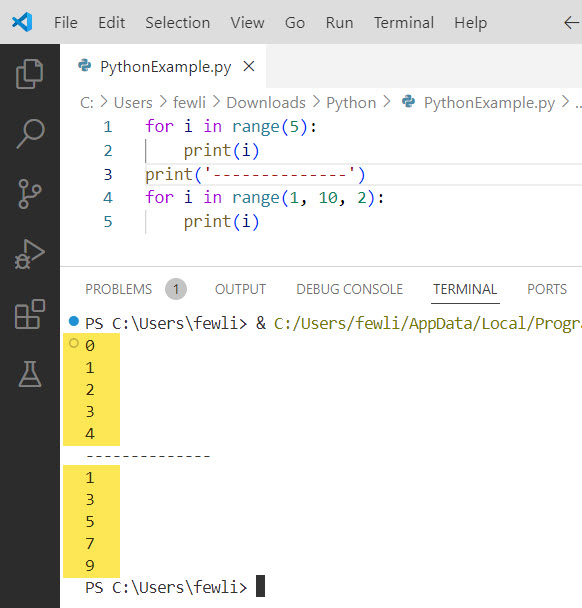
for i in range(5):
    print(i)
This loop will print numbers from 0 to 4. You can also specify a start and end point, as well as a step value:
for i in range(1, 10, 2):
    print(i)
This loop will print odd numbers from 1 to 9.
You can see the output in the screenshot below:
Check out How to Start a Python For Loop at Index 1
Nested For Loops
You can nest for loops inside each other to iterate over multiple sequences simultaneously. Here is a simple example.
for i in range(1, 4):
    for j in range(1, 4):
        print(f'({i}, {j})')
Output:
(1, 1)
(1, 2)
(1, 3)
(2, 1)
(2, 2)
(2, 3)
(3, 1)
(3, 2)
(3, 3)
You can nest for loops to iterate over multi-dimensional data structures, such as lists of lists:
matrix = [
    [1, 2, 3],
    [4, 5, 6],
    [7, 8, 9]
]

for row in matrix:
    for element in row:
        print(element, end=' ')
    print()
This will print each element in the matrix in a structured format.
Check out Do While Loop in Python
Break and Continue in Python For Loops
Python provides the break and continue statements to control the flow of a for loop:
- The
breakstatement allows you to exit the loop prematurely. - The
continuestatement skips the rest of the current iteration and moves to the next one.
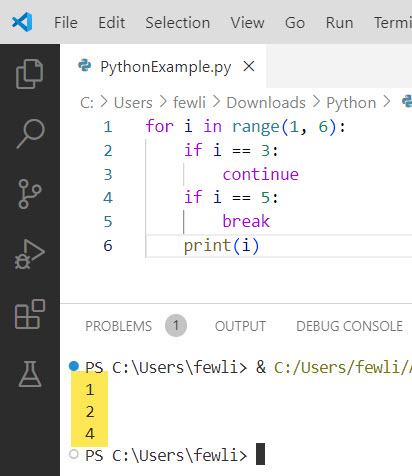
for i in range(1, 6):
    if i == 3:
        continue
    if i == 5:
        break
    print(i)
Output:
1
2
4
You can see the output in the screenshot below:
Conclusion
So, you should use Python for loops whenever you need to iterate over sequences or perform actions a specific number of times. In this tutorial, I have explained how to use Python for loop with examples.
You may also like:

I’m Michelle Gallagher, a Senior Python Developer at Lumenalta based in New York, United States. I have over nine years of experience in the field of Python development, machine learning, and artificial intelligence. My expertise lies in Python and its extensive ecosystem of libraries and frameworks. Throughout my career, I’ve had the pleasure of working on a variety of projects that have leveraged my skills in Python and machine learning. Read more…