
A team member struggled to print variable names in a for loop in Python. I suggested a few methods. In this tutorial, I will explain how to print variable names in a for loop in Python using various methods with real-time examples. It is tricky as we are not printing the values of variables; instead, we want to point to the variable names.
To print variable names in a for loop in Python, you can use the enumerate() function, which adds a counter to an iterable and returns it as an enumerate object. This allows you to print both the index and the variable value. For example, with a list of US cities, you can use for index, city in enumerate(cities): print(f"City {index + 1}: {city}"), which will output each city’s name along with its position in the list.
Print Variable Names in a For Loop in Python
Before printing variable names in a Python for loop, let’s start with a basic for-loop example. Suppose we have a list of major US cities:
cities = ["New York", "Los Angeles", "Chicago", "Houston", "Phoenix"]

for city in cities:
    print(city)
This loop will simply print each city name:
New York
Los Angeles
Chicago
Houston
Phoenix
Now, let us see how to print variable names in a Python for-loop using the below method.
Check out How to Print A Variable in Python?
Method 1: Using enumerate()
The enumerate() function adds a counter to an iterable and returns it as an enumerate object. This can be useful if you want to print the index along with the variable value.
Here is an example.
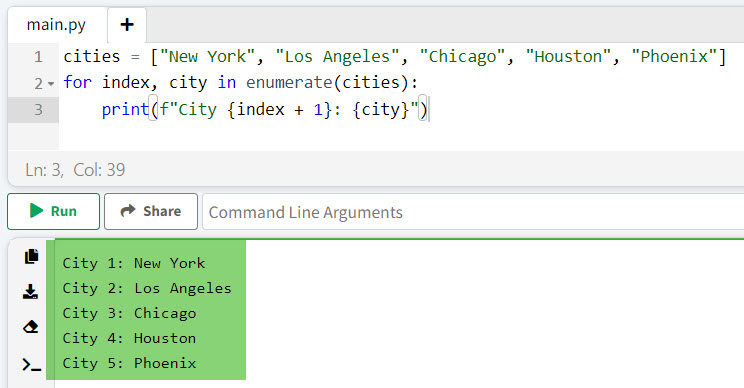
cities = ["New York", "Los Angeles", "Chicago", "Houston", "Phoenix"]
for index, city in enumerate(cities):
    print(f"City {index + 1}: {city}")
Output:
City 1: New York
City 2: Los Angeles
City 3: Chicago
City 4: Houston
City 5: Phoenix
I executed the above Python code, and you can see the output in the screenshot below:
Method 2: Using globals() or locals()
If you need to print variable names dynamically in a Python for-loop, you can use the globals() or locals() functions in Python. These functions return a dictionary representing the current global and local symbol tables.
Here is an example to understand it better.
Suppose we have variables representing the populations of different states:
California = 39538223
Texas = 29145505
Florida = 21538187
New_York = 20201249
Pennsylvania = 13002700

state_populations = ["California", "Texas", "Florida", "New_York", "Pennsylvania"]

for state in state_populations:
    print(f"{state}: {globals()[state]}")
Output:
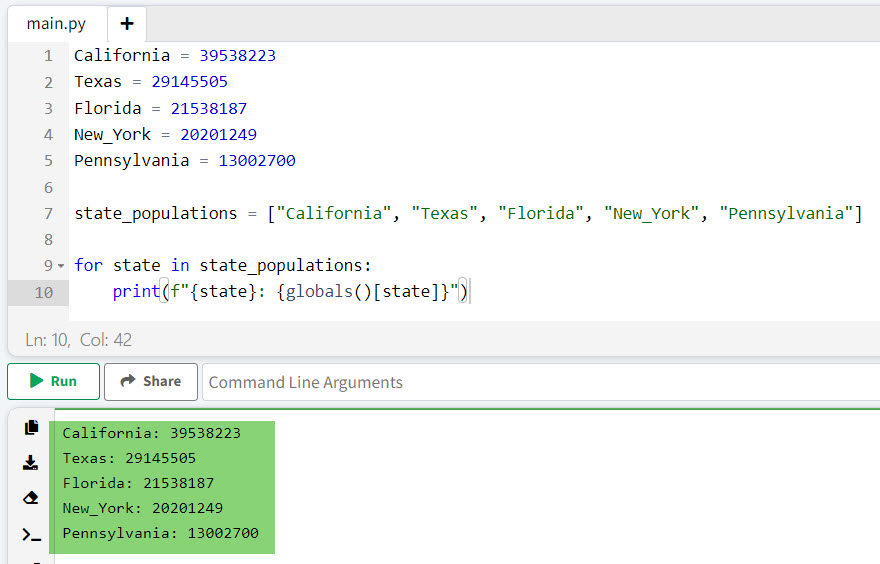
California: 39538223
Texas: 29145505
Florida: 21538187
New_York: 20201249
Pennsylvania: 13002700
You can also see the output in the screenshot below after I executed the above Python code.
Read Create Multiple Variables in a For Loop in Python
Method 3: Using a Dictionary
Let me show you another method to print variable names in a for-loop in Python using a Dictionary. It inherently pairs keys (variable names) with values.
Here is an example to understand it better.
Let’s create a dictionary of state capitals:
state_capitals = {
    "California": "Sacramento",
    "Texas": "Austin",
    "Florida": "Tallahassee",
    "New York": "Albany",
    "Pennsylvania": "Harrisburg"
}

for state, capital in state_capitals.items():
    print(f"The capital of {state} is {capital}.")
Output:
The capital of California is Sacramento.
The capital of Texas is Austin.
The capital of Florida is Tallahassee.
The capital of New York is Albany.
The capital of Pennsylvania is Harrisburg.
Read Local and Global Variables in Python
Method 4: Using vars()
The vars() function returns the __dict__ attribute of a module, class, instance, or any other object with a __dict__ attribute. This can be handy for accessing variable names and values in a more controlled manner. Here is another example.
Suppose we have an object representing national parks:
class NationalPark:
    def __init__(self):
        self.Yellowstone = "Wyoming"
        self.Yosemite = "California"
        self.Grand_Canyon = "Arizona"
        self.Zion = "Utah"
        self.Rocky_Mountain = "Colorado"

parks = NationalPark()

for park, location in vars(parks).items():
    print(f"{park.replace('_', ' ')} is located in {location}.")
Output:
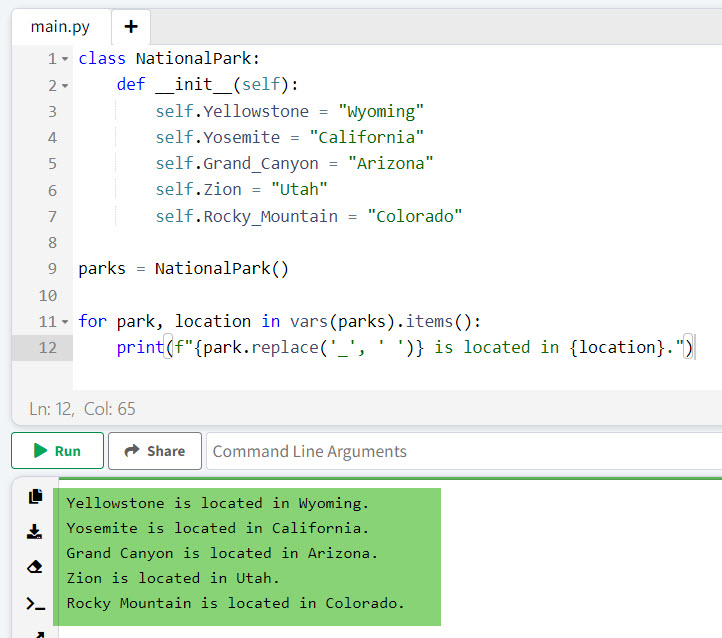
Yellowstone is located in Wyoming.
Yosemite is located in California.
Grand Canyon is located in Arizona.
Zion is located in Utah.
Rocky Mountain is located in Colorado.
You can see the output in the screenshot below after I executed the above Python code.
Conclusion
In this tutorial, I have explained how to print variable names in a for loop in Python using different methods, such as enumerate(), globals() or locals(), a Dictionary, and vars(), with some real examples. I hope this helps.
You may also like the following tutorials:
- Python local variable referenced before assignment
- How to Check if a Variable is an Integer or String in Python?
- How to Print Variable Name Instead of Value in Python?

I’m Michelle Gallagher, a Senior Python Developer at Lumenalta based in New York, United States. I have over nine years of experience in the field of Python development, machine learning, and artificial intelligence. My expertise lies in Python and its extensive ecosystem of libraries and frameworks. Throughout my career, I’ve had the pleasure of working on a variety of projects that have leveraged my skills in Python and machine learning. Read more…