
As a mentor, I recently received a question related to printing a string and a variable in Python. You can achieve this using different methods. In this tutorial, I will show you how to print string and variable in Python using different methods and examples.
To print strings and variables in Python using the print() function, you simply pass them as arguments separated by commas. For example, to display the population of New York City, you can use:
city = "New York City"
population = 8419000
print("The population of", city, "is", population)
This will output: The population of New York City is 8419000. The print() function automatically adds spaces between arguments, making it straightforward to combine strings and variables.
Print String and Variable in Python
Now, let me show you different methods to print a string and a variable in Python.
1. Using the print() Function
The print() function is the most basic way to output data in Python. You can print strings, variables, or a combination of both. Let me show you an example.
Let’s say you want to display the population of New York City.
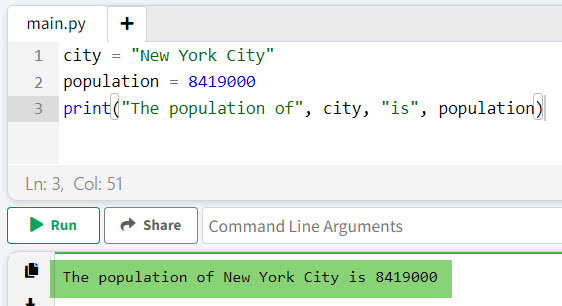
city = "New York City"
population = 8419000
print("The population of", city, "is", population)
Output:
The population of New York City is 8419000In this example, the print() function takes multiple arguments separated by commas and prints them in a single line with spaces in between.
I executed the above Python code and you can see the output in the screenshot below:
Read How to Use Static Variables in Python?
2. String Concatenation
You can also concatenate strings and variables using the + operator in Python to print a string and a variable. This method requires converting non-string variables to strings using the str() function.
Here is an example to understand it better.
Suppose you want to display the GDP of California.
state = "California"
gdp = 3.2  # Trillion USD
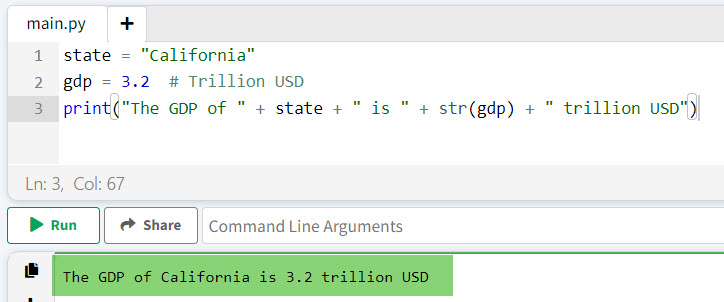
print("The GDP of " + state + " is " + str(gdp) + " trillion USD")
Output:
The GDP of California is 3.2 trillion USDThe exact output is shown in the screenshot below; you will also see the same output if you execute the above Python code.
3. Using format() Method
The format() method provides a more readable way to format strings by using placeholders {}.
Let me show you an example of how to use the format() method to print a string and a variable in Python.
Let’s display the average temperature in Miami.
city = "Miami"
temperature = 77.5  # Fahrenheit
print("The average temperature in {} is {}°F".format(city, temperature))
Output:
The average temperature in Miami is 77.5°FRead Create Multiple Variables in a For Loop in Python
4. Using f-Strings (Formatted String Literals)
Introduced in Python 3.6, f-strings are also an option to print a string and a variable in Python.
Here is an example and the Python code.
Consider displaying the unemployment rate in Texas.
state = "Texas"
unemployment_rate = 4.1  # Percentage
print(f"The unemployment rate in {state} is {unemployment_rate}%")
Output:
The unemployment rate in Texas is 4.1%5. Using the format() Method with Named Placeholders
For more complex formatting, you can use named placeholders in the format() method to print strings and variables.
Here is an example to understand it better.
Let’s display the number of visitors to Yellowstone National Park. Below is the Python code.
park = "Yellowstone National Park"
visitors = 4100000  # Annual visitors
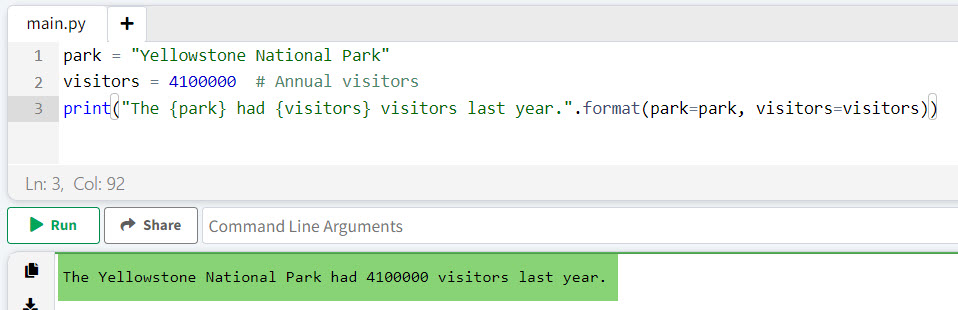
print("The {park} had {visitors} visitors last year.".format(park=park, visitors=visitors))
Output:
The Yellowstone National Park had 4100000 visitors last year.You can see the exact output in the screenshot below:
6. Using print() with Custom Separators and End Parameters
You can customize the separator between arguments and the end character using the sep and end parameters in the print() function.
Here is an example.
Let’s display the coordinates of the Statue of Liberty.
latitude = 40.6892
longitude = -74.0445
print("Coordinates of the Statue of Liberty:", latitude, longitude, sep=", ", end=".\n")
Output:
Coordinates of the Statue of Liberty: 40.6892, -74.0445.Read Create Dynamic Variables in Python
Print String and Variable in the Same Line in Python
To print strings and variables on the same line, you can use the print() function with multiple arguments separated by commas. Each argument will be printed with a space between them by default.
Here is an example to know how to print string and variable in the same line in Python.
temperature = 75
city = "Los Angeles"
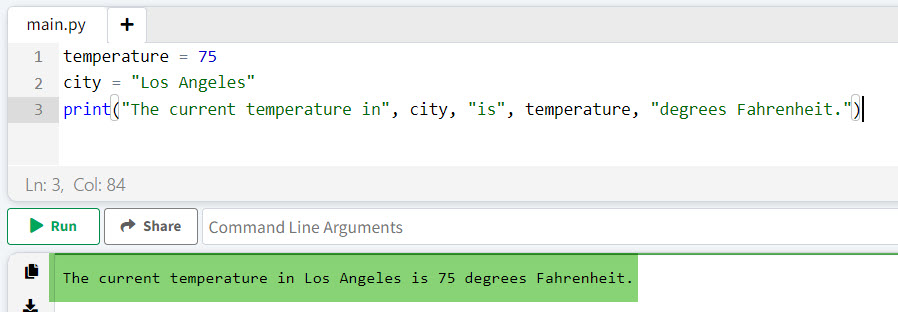
print("The current temperature in", city, "is", temperature, "degrees Fahrenheit.")
Output:
The current temperature in Los Angeles is 75 degrees Fahrenheit.I executed the above Python code, and it is printing in the same line. Here is the output in the screenshot below:
Using String Concatenation
String concatenation can also be used to combine strings and variables in the same line. This method requires converting non-string variables to strings using the str() function.
state = "California"
gdp = 3.2
print("The GDP of " + state + " is $" + str(gdp) + " trillion.")
Output:
The GDP of California is $3.2 trillion.Using F-Strings (Formatted String Literals)
You can also use the F-strings to print a string and variable in the same line in Python. This helps to embed expressions inside string literals using curly braces {}.
Here is an example with the complete Python code.
city = "Chicago"
crime_rate = 5.3
print(f"The crime rate in {city} is {crime_rate} per 1,000 residents.")
Output:
The crime rate in Chicago is 5.3 per 1,000 residents.Using the format() Method
The format() method allows you to insert variables into a string at specified placeholders {} and we can print in the same line.
state = "Texas"
area = 268596
print("The area of {} is {} square miles.".format(state, area))
Output:
The area of Texas is 268596 square miles.Read Print Variable Names in a For Loop in Python
Python: Print String and Variable Without Space
Now, let me show you how to print a string and variable without space in Python.
To print strings and variables without spaces in Python, you can use concatenation or specify a different separator in the print() function.
Here is an example.
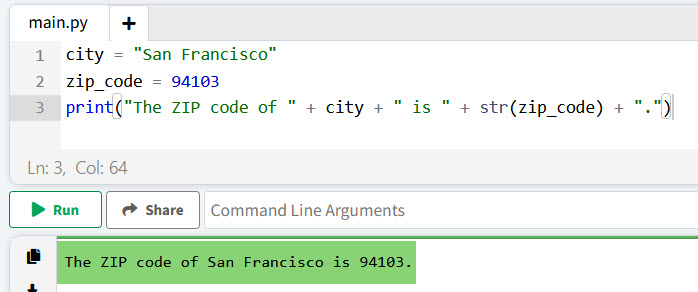
city = "San Francisco"
zip_code = 94103
print("The ZIP code of " + city + " is " + str(zip_code) + ".")
Output:
The ZIP code of San Francisco is 94103.You can see the output also in the screenshot below:
Alternatively, using the sep parameter in print():
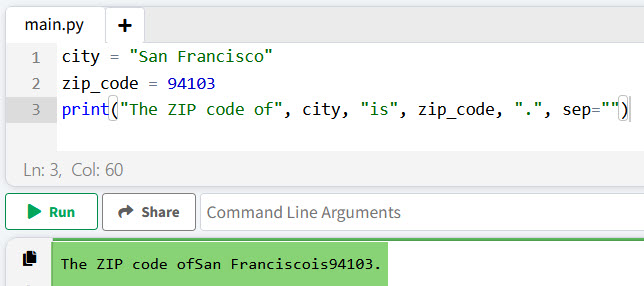
city = "San Francisco"
zip_code = 94103
print("The ZIP code of", city, "is", zip_code, ".", sep="")
Output:
The ZIP code of San Francisco is 94103.Also, you can see the output in the screenshot below:
Conclusion
In this tutorial, I have explained different methods to print strings and variables in Python with some real examples. There are various methods to do like:
- Using the print() Function
- String Concatenation
- Using format() Method
- Using f-Strings (Formatted String Literals)
- Using the format() Method with Named Placeholders
- Using print() with Custom Separators and End Parameters
But I will recommend always to use the print() function in Python for printing variables and strings. I have also explained:
- How to print string and variable in the same line in Python
- Print string and variable without space in Python
You may also like the following tutorials:

I’m Michelle Gallagher, a Senior Python Developer at Lumenalta based in New York, United States. I have over nine years of experience in the field of Python development, machine learning, and artificial intelligence. My expertise lies in Python and its extensive ecosystem of libraries and frameworks. Throughout my career, I’ve had the pleasure of working on a variety of projects that have leveraged my skills in Python and machine learning. Read more…