
Someone asked me in the New York Python user group how to insert variables into strings in Python. In this tutorial, I will explain how to insert variables into strings in Python using different methods and provide examples.
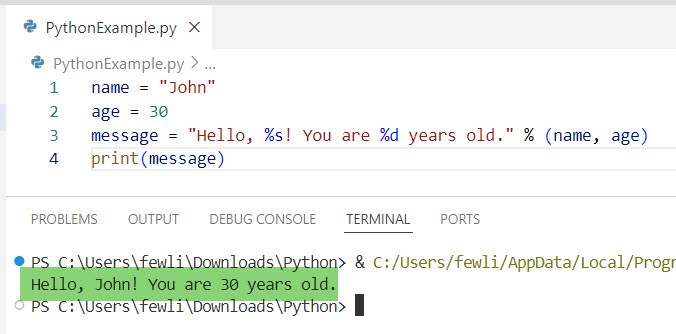
To insert variables into strings in Python using the % operator, you can use placeholders like %s for strings and %d for integers within your string. For example, name = "John"; age = 30; message = "Hello, %s! You are %d years old." % (name, age) will replace the placeholders with the values of name and age, resulting in the message “Hello, John! You are 30 years old.” This method is straightforward and effective for basic string formatting.
1. Using the % Operator
To insert variables into strings in Python, you can use the % operator. The % operator is one of the oldest methods for string formatting in Python. It’s similar to the printf-style formatting in C.
Here is an example.
name = "John"
age = 30
message = "Hello, %s! You are %d years old." % (name, age)
print(message)
In this example, %s is a placeholder for a string, and %d is a placeholder for an integer. The variables name and age are inserted into the string in the respective positions.
Here is the output you can see in the screenshot below:
Let me show you another example.
team = "New York Yankees"
score = 5
message = "The final score for the %s is %d." % (team, score)
print(message)
The %s and %d placeholders in the string are replaced by the values of team and score, respectively. This results in the message “The final score for the New York Yankees is 5.” being printed, demonstrating how to use the % operator for string formatting.
Check out Check Type of Variable Is String in Python
2. Using the str.format() Method
The str.format() method in Python provides more flexibility and readability compared to the % operator.
Here is an example.
city = "New York"
temperature = 85
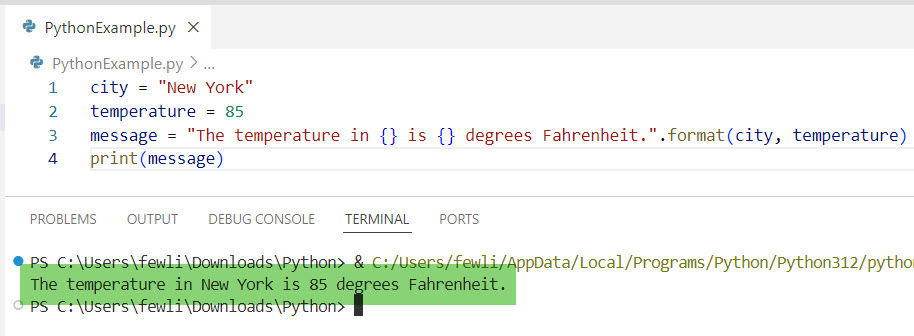
message = "The temperature in {} is {} degrees Fahrenheit.".format(city, temperature)
print(message)
Here, {} are placeholders that are replaced by the values of city and temperature. This method also supports named placeholders.
Here is the output in the screenshot below:
Example with Named Placeholders:
message = "The temperature in {city} is {temp} degrees Fahrenheit.".format(city="Los Angeles", temp=75)
print(message)
Let me show you another example:
state = "California"
population = 39538223
message = "The population of {state} is {population:,}.".format(state=state, population=population)
print(message)
The placeholders {state} and {population:,} in the string are replaced by the values of state and population, respectively. The :, inside the placeholder formats the population number with commas, resulting in the message “The population of California is 39,538,223.” being printed.
Read How to Print String and Variable in Python?
3. Using f-Strings (Formatted String Literals)
Introduced in Python 3.6, f-strings are a concise and efficient way to embed expressions inside string literals using curly braces {}.
Here is an example.
state = "California"
population = 39538223
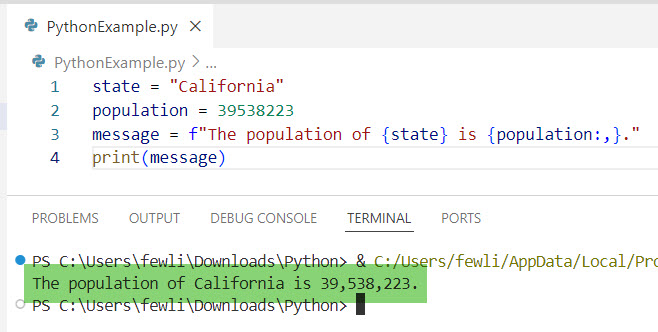
message = f"The population of {state} is {population:,}."
print(message)
In this example, the :, inside the curly braces formats the number with commas, making it more readable.
Here is the output in the screenshot below, after I executed the Python code.
Let me show you another example.
city = "Chicago"
temperature = 70
message = f"The current temperature in {city} is {temperature}°F."
print(message)
f-strings are used to directly embed the values of city and temperature into the string. This results in the message “The current temperature in Chicago is 70°F.” being printed, showcasing the simplicity and readability of f-strings for string interpolation.
Read How to Change the Value of a Variable in Python?
4. Using Template Strings
The string module provides a Template class for string substitution. This method is useful when you need to create templates that are safe from accidental changes.
Here is an example.
from string import Template

template = Template("Welcome to $place! Enjoy your stay.")
message = template.substitute(place="Florida")
print(message)
The $place is a placeholder that gets replaced by the value provided in the substitute method.
Let me show you another example to help you understand it better.
from string import Template

template = Template("$company reported a revenue of $${revenue:,} in 2024.")
message = template.substitute(company="Apple", revenue=274515000000)
print(message)
5. Using Concatenation
You can also use string concatenation to insert variables into strings in Python. You can concatenate strings using the + operator in Python.
Here is another example.
first_name = "Jane"
last_name = "Doe"
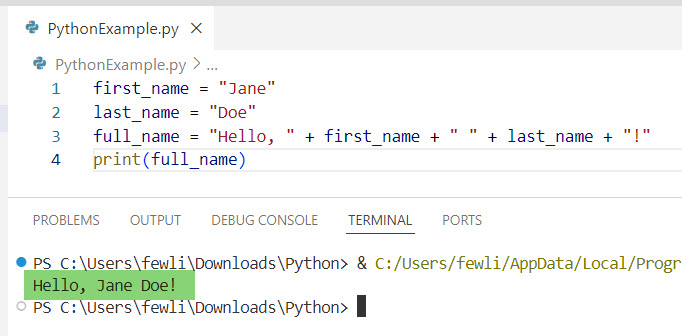
full_name = "Hello, " + first_name + " " + last_name + "!"
print(full_name)
You can see the exact output in the screenshot below:
Let me show you another example.
city = "San Francisco"
state = "California"
message = "Welcome to " + city + ", " + state + "!"
print(message)
String concatenation is used to combine the values of city and state with other string literals. This results in the message “Welcome to San Francisco, California!” being printed, demonstrating how to build strings by joining multiple parts together.
Conclusion
In this tutorial, I have explained how to insert variables into strings in Python using different methods using the % operator, str.format(), f-strings, template strings, or concatenation, etc. I hope this helps you.
You may also like:
- How to Print Variable Name Instead of Value in Python?
- How to Check if a Variable is an Integer or String in Python?
- How to Set a Variable to Infinity in Python?

I’m Michelle Gallagher, a Senior Python Developer at Lumenalta based in New York, United States. I have over nine years of experience in the field of Python development, machine learning, and artificial intelligence. My expertise lies in Python and its extensive ecosystem of libraries and frameworks. Throughout my career, I’ve had the pleasure of working on a variety of projects that have leveraged my skills in Python and machine learning. Read more…