
In Python, a for loop allows you to iterate over sequences like lists, tuples, and strings. However, there are times when you need not only the sequence elements but also their indices. In this tutorial, I will explain everything about the for loop in Python with index.
To access both the index and the value in a for loop in Python, the most efficient and Pythonic way is to use the enumerate() function. This built-in function adds a counter to an iterable and returns it as an enumerate object, allowing you to loop through both the index and the value simultaneously. For example:
cities = ['New York', 'Los Angeles', 'Chicago', 'Houston']
for index, city in enumerate(cities):
    print(f"Index {index}: {city}")
This will output each city and its corresponding index, making your code cleaner and more readable.
There are various methods to do this.
1. Using enumerate()
The best way to access both the index and the value in a Python for loop is by using the enumerate() function. This built-in function adds a counter to an iterable and returns it as an enumerate object.
Syntax:
for index, value in enumerate(iterable, start=0):
    # Your code here
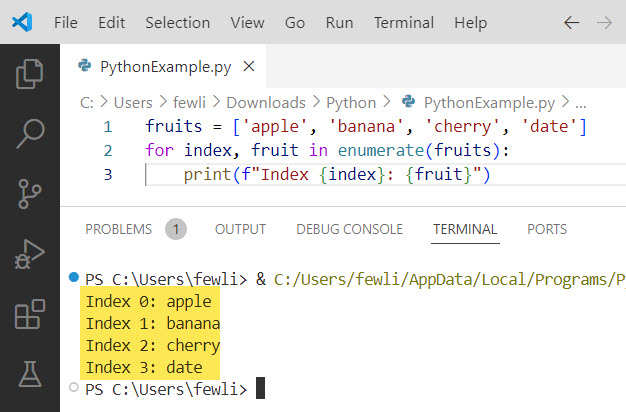
Example: Suppose you have a list of fruits, and you want to print each fruit with its index.
fruits = ['apple', 'banana', 'cherry', 'date']
for index, fruit in enumerate(fruits):
    print(f"Index {index}: {fruit}")
Output:
Index 0: apple
Index 1: banana
Index 2: cherry
Index 3: date
I executed the above Python code, and you can see the output in the screenshot below:
Check out How to Skip an Iteration in a For Loop in Python?
2. Using range() and len()
Let me show you another method, and that is to use the range() function in combination with len() to generate indices from a Python for loop.
Syntax:
for index in range(len(iterable)):
    value = iterable[index]
    # Your code here
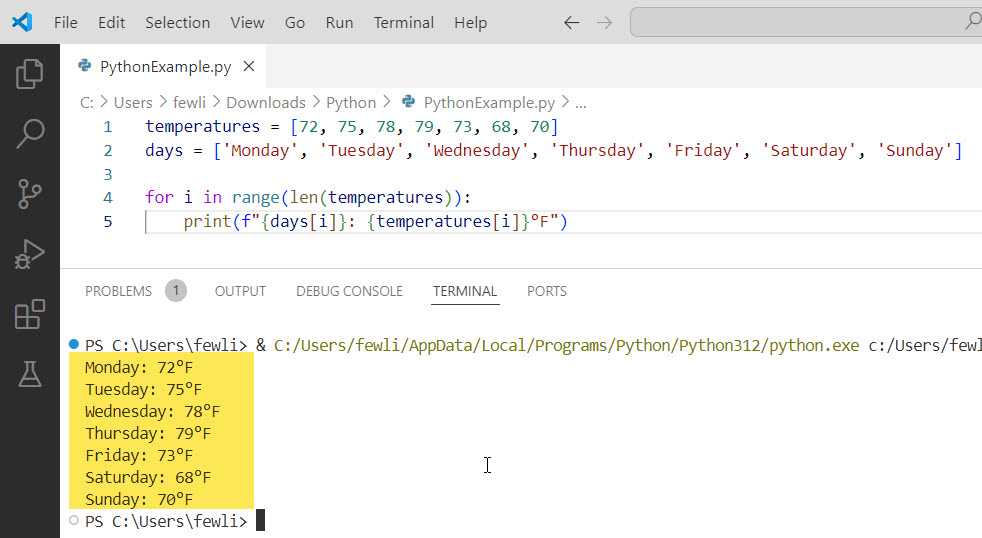
Example: Consider a list of temperatures recorded over a week. You want to print each temperature along with the day of the week.
temperatures = [72, 75, 78, 79, 73, 68, 70]
days = ['Monday', 'Tuesday', 'Wednesday', 'Thursday', 'Friday', 'Saturday', 'Sunday']

for i in range(len(temperatures)):
    print(f"{days[i]}: {temperatures[i]}°F")
Output:
Monday: 72°F
Tuesday: 75°F
Wednesday: 78°F
Thursday: 79°F
Friday: 73°F
Saturday: 68°F
Sunday: 70°F
Here is the screenshot below:
Check out How to Exit a For Loop in Python?
3. Using List Comprehensions with enumerate()
List comprehensions can also be used with enumerate() to create new lists that include indices. This method is concise and often more readable.
Syntax:
new_list = [expression for index, value in enumerate(iterable)]Example: Imagine you want to create a list of strings that combine the index and the value from an original list of tasks.
tasks = ['write blog post', 'attend meeting', 'submit report', 'review code']
indexed_tasks = [f"Task {index + 1}: {task}" for index, task in enumerate(tasks)]

print(indexed_tasks)
Output:
['Task 1: write blog post', 'Task 2: attend meeting', 'Task 3: submit report', 'Task 4: review code']4. Using zip() with range()
The zip() function in Python can be used in conjunction with range() to pair indices with values. This method is less common but can be useful in specific scenarios.
Syntax:
for index, value in zip(range(len(iterable)), iterable):
    # Your code here
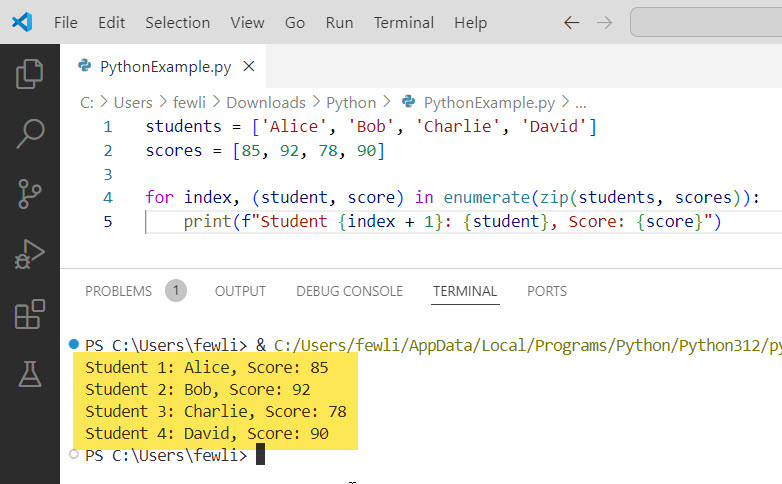
Example: Suppose you have two lists: one of student names and another of their scores. You want to print each student’s name along with their score.
students = ['Alice', 'Bob', 'Charlie', 'David']
scores = [85, 92, 78, 90]

for index, (student, score) in enumerate(zip(students, scores)):
    print(f"Student {index + 1}: {student}, Score: {score}")
Output:
Student 1: Alice, Score: 85
Student 2: Bob, Score: 92
Student 3: Charlie, Score: 78
Student 4: David, Score: 90
You will see the output in the screenshot below when you execute the Python code.
Check out Single Line For Loops in Python
5. Using itertools.count()
For more advanced use cases, the itertools module provides a count() function that can be used to generate indices from the Python for loop.
Syntax:
import itertools

counter = itertools.count(start=0, step=1)
for value in iterable:
    index = next(counter)
    # Your code here
Example: Consider a scenario where you need to process a list of events with timestamps and print each event with a unique identifier.
import itertools

events = ['login', 'view page', 'click ad', 'logout']
counter = itertools.count(start=1)

for event in events:
    event_id = next(counter)
    print(f"Event {event_id}: {event}")
Output:
Event 1: login
Event 2: view page
Event 3: click ad
Event 4: logout
Conclusion
In this tutorial, we discussed everything about the For Loop In Python With Index. I have shown you the different methods like using enumerate(), range() with len(), list comprehensions, zip(), and itertools.count() etc, to access it.
You may also like:

I’m Michelle Gallagher, a Senior Python Developer at Lumenalta based in New York, United States. I have over nine years of experience in the field of Python development, machine learning, and artificial intelligence. My expertise lies in Python and its extensive ecosystem of libraries and frameworks. Throughout my career, I’ve had the pleasure of working on a variety of projects that have leveraged my skills in Python and machine learning. Read more…