
Today, I will explain a very common requirement in Python programming. When working with loops in Python, there are times when you may need to exit a loop before it has processed all of its items. In this tutorial, I will show you various methods to exit a for loop in Python with examples.
To exit a for loop in Python, you can use the break statement. This allows you to terminate the loop when a specific condition is met. For example, if you are searching for a specific item in a list, you can use break to stop the loop as soon as the item is found, ensuring efficient and immediate termination of the loop. Here’s a quick example:
items = ["apple", "banana", "cherry"]
for item in items:
    if item == "banana":
        print("Banana found!")
        break
In this snippet, the loop exits as soon as “banana” is found, printing “Banana found!” and stopping further iterations.
Exit a For Loop in Python
Now, let me show you how to exit a for loop in Python using different methods.
Using the break Statement
The best way to exit a for loop in Python is by using the break statement. This statement allows you to terminate the loop when a specific condition is met.
Example: Searching for a Specific Item in a List
Suppose you are developing a search feature for an e-commerce website. You want to find the first occurrence of a specific product in a list of items and stop the search once it is found.
products = ["laptop", "smartphone", "tablet", "smartwatch", "camera"]
search_item = "tablet"

for product in products:
    if product == search_item:
        print(f"{search_item} found!")
        break
else:
    print(f"{search_item} not found.")
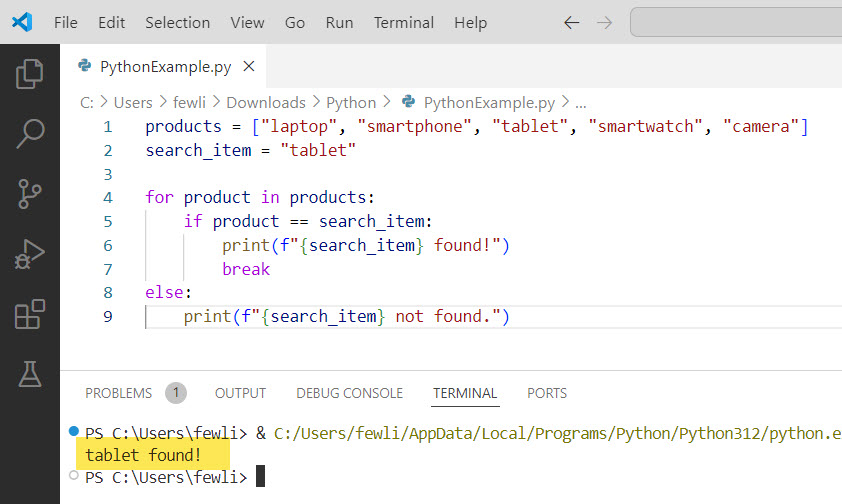
In this example, the loop will terminate as soon as the “tablet” is found, and the message “tablet found!” will be printed. If the item is not found, the else block will execute, printing “tablet not found.”
Here is the exact output in the screenshot below:
Check out How to Skip an Iteration in a For Loop in Python?
Using the return Statement
If you are inside a function, you can simultaneously use the return statement to exit the Python for loop and the function. This is particularly useful when the loop is part of a function that performs a specific task.
Example: Checking for Prime Numbers
Consider a function that checks whether a number is prime. Once it determines the number is not prime, it can return False immediately.
def is_prime(number):
    if number <= 1:
        return False
    for i in range(2, int(number ** 0.5) + 1):
        if number % i == 0:
            return False
    return True

print(is_prime(29))  # Output: True
print(is_prime(15))  # Output: False
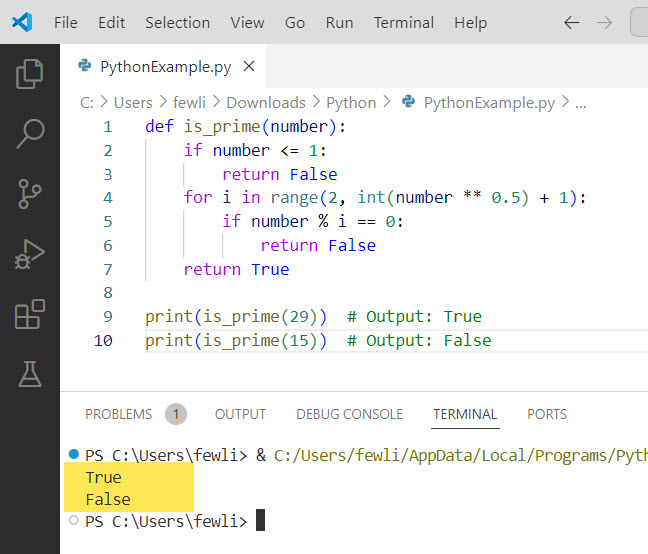
In this example, the loop will exit as soon as a divisor is found, returning False. If no divisors are found, the function will return True, indicating the number is prime.
Here is the output of the above Python program in the screenshot below:
Using the sys.exit() Function
In some cases, you may want to exit not just the for loop but the entire program. This can be achieved using the sys.exit() function from the sys module.
Example: Handling Critical Errors
Suppose you are processing a list of files, and encountering a critical error in any file should halt the entire program.
import sys

files = ["file1.txt", "file2.txt", "file3.txt"]
critical_error_file = "file2.txt"

for file in files:
    if file == critical_error_file:
        print(f"Critical error encountered in {file}. Exiting program.")
        sys.exit()
    print(f"Processing {file}")

print("All files processed successfully.")
In this example, encountering “file2.txt” will print an error message and terminate the program immediately, skipping the processing of any remaining files.
Check out How to Start a Python For Loop at Index 1
Using Flags
Another approach is to use a flag variable to control the exit of the Python for loop. This method is particularly useful when performing additional actions after exiting the loop.
Example: User Authentication
Consider a user authentication system where you want to stop checking credentials as soon as a valid user is found.
users = {"john": "password123", "jane": "securepass", "admin": "adminpass"}
username = "jane"
password = "securepass"
authenticated = False

for user, pwd in users.items():
    if user == username and pwd == password:
        authenticated = True
        break

if authenticated:
    print("User authenticated successfully.")
else:
    print("Invalid credentials.")
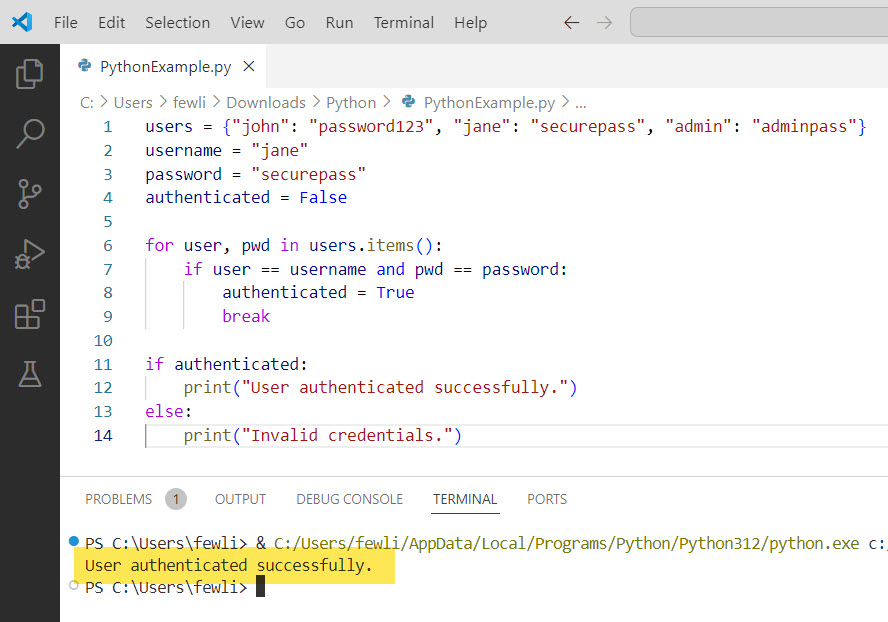
In this example, the loop will set the authenticated flag to True and exit as soon as the correct credentials are found. The subsequent if statement checks the flag and prints the appropriate message.
Here is the output in the screenshot below:
Conclusion
In this tutorial, break out of for loop in Python using different methods like using the break statement, using the return Statement, and using the sys.exit() Function. The break statement is the most used way to terminate a loop, while the return statement can exit both the loop and the function. The sys.exit() function is useful for terminating the entire program, and using flags provides additional control in the for loop in Python.
You may also like:

I’m Michelle Gallagher, a Senior Python Developer at Lumenalta based in New York, United States. I have over nine years of experience in the field of Python development, machine learning, and artificial intelligence. My expertise lies in Python and its extensive ecosystem of libraries and frameworks. Throughout my career, I’ve had the pleasure of working on a variety of projects that have leveraged my skills in Python and machine learning. Read more…