
Today, one Python programmer was working with functions in Python. The requirement was to end a Python function. There are different methods to end a function in Python. Let me explain each method with examples.
To end a function in Python, you typically use the return statement. This statement exits the function and optionally passes back an expression to the caller. For example, in a function def add(a, b): return a + b, the function ends when it encounters the return statement, returning the sum of a and b. Using return is the most common way to terminate a function in Python.
End a Function in Python
A function in Python is a block of reusable code that performs a specific task. Functions help make code modular, readable, and easier to manage.
Here’s a basic example of a Python function:
def my_function():
    print("Hello, World!")
This function, when called, will print “Hello, World!” to the console.
I will show you now how to end a function in Python using different methods with examples.
1. Using the return Statement
The best way to end a function in Python is by using the return statement. When Python encounters a return statement, it exits the function and optionally passes back an expression to the caller.
Syntax
Here is the syntax:
def function_name(parameters):
    # code block
    return [expression]
Example
Here is an example.
def add(a, b):
    return a + b

result = add(5, 3)
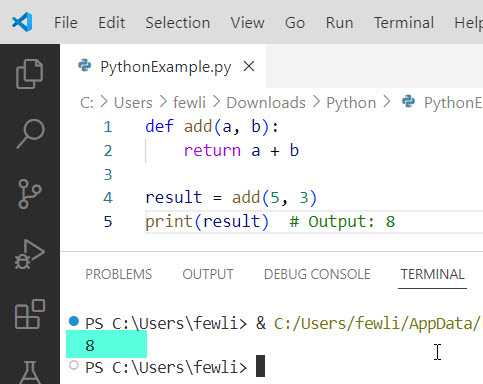
print(result)  # Output: 8
In this example, the function add ends when it encounters the return statement, returning the sum of a and b.
Here is the output you can see in the screenshot below:
Check out Repeat a Function in Python
2. Using None with return
Now, let me show you another method to end a function in Python.
If you don’t need to return any value, you can use return without an expression, which implicitly returns None.
Let me show you an example and the complete Python code.
Example
def greet(name):
    if not name:
        return
    print(f"Hello, {name}!")

greet("")  # No output
greet("Alice")  # Output: Hello, Alice!
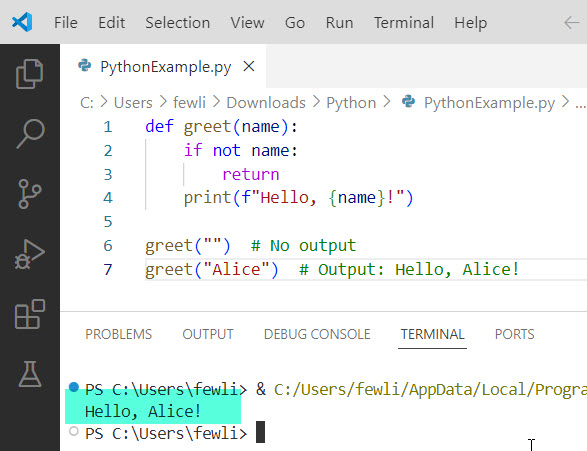
Here, the function greet ends immediately if the name is an empty string.
I executed the above Python code using VS code, and you can see the exact output:
Read User Defined Functions in Python
3. Using sys.exit()
In some cases, you might want to terminate not just a function, but the entire program. This is where sys.exit() comes in handy. Note that this raises a SystemExit exception, which can be caught in the outer levels of the program.
Syntax
Here is the syntax.
import sys

def function_name():
    # code block
    sys.exit([status])
Example
Here is an example and the complete Python code.
import sys

def check_age(age):
    if age < 0:
        print("Invalid age!")
        sys.exit(1)
    print(f"Age is {age}")

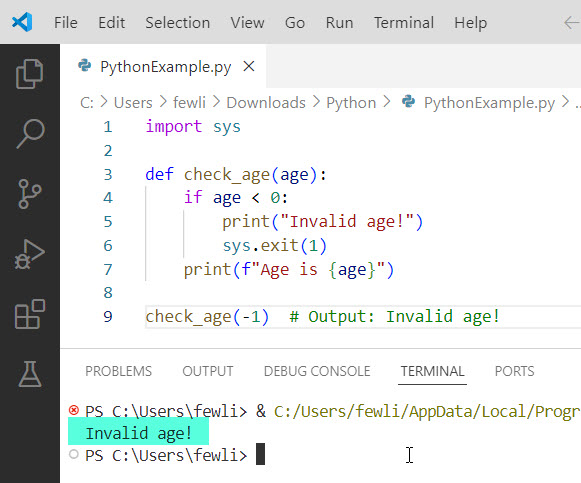
check_age(-1)  # Output: Invalid age!
In this example, the program exits if an invalid age is provided. You can see the exact output in the screenshot below:
Read Lambda Functions in Python
4. Using quit() and exit()
For interactive sessions or simple scripts, you can use quit() or exit() to end a Python function. These functions are essentially the same and are more suited for casual use.
Example
def test_function():
    print("This will print")
    quit()
    print("This will not print")

test_function()
In this example, the function test_function ends when quit() is called, and the subsequent print statement is not executed.
Conclusion
In this tutorial, I explained how to end a function in Python using different methods using return, sys.exit(), or quit(), etc. I hope all these examples will help you.
You may also like:
- Run a Python Function from the Command Line
- How to Call the Main Function in Python?
- Call a Function by String in Python

I’m Michelle Gallagher, a Senior Python Developer at Lumenalta based in New York, United States. I have over nine years of experience in the field of Python development, machine learning, and artificial intelligence. My expertise lies in Python and its extensive ecosystem of libraries and frameworks. Throughout my career, I’ve had the pleasure of working on a variety of projects that have leveraged my skills in Python and machine learning. Read more…