
Python does not have a built-in do-while loop. Despite this, you can still emulate this behavior using other Python constructs. In this tutorial, I will show you how to achieve do-while loop functionality in Python with some practical examples.
To emulate a do-while loop in Python, you can use an infinite while True loop combined with a break statement. This approach ensures that the code block runs at least once before checking the exit condition. For example:
while True:
    user_input = input("Enter a number (0 to exit): ")
    number = int(user_input)
    print(f"You entered: {number}")
    if number == 0:
        break
In this example, the loop continues to execute until the user enters 0, ensuring the block runs at least once before the condition is checked.
What is a Do-While Loop in Python?
A do-while loop is a control flow statement that executes a block of code at least once, and then repeatedly executes the block as long as a given condition is true. The key difference between a do-while loop and a while loop is that the do-while loop checks its condition after the loop’s body has been executed, ensuring that the body is executed at least once.
Emulating Do-While Loop in Python
Since Python does not have a native do-while loop, we can emulate it using a combination of while loop and break statement.
Method 1: Using while True and break
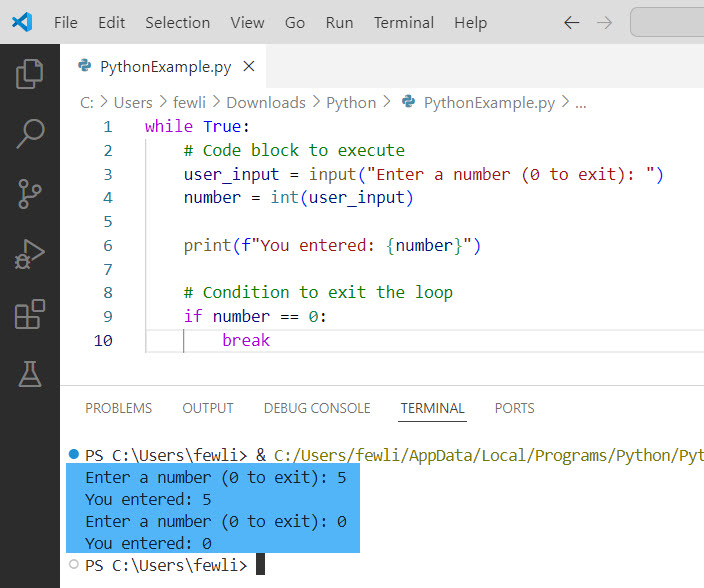
One common way to emulate a do-while loop is by using an infinite while loop with a break statement in Python. This method ensures that the code block runs at least once and then checks the condition to decide whether to continue or exit the loop.
while True:
    # Code block to execute
    user_input = input("Enter a number (0 to exit): ")
    number = int(user_input)

    print(f"You entered: {number}")

    # Condition to exit the loop
    if number == 0:
        break
In this example, the loop will always execute at least once, asking the user for input and printing the entered number. If the user enters 0, the loop will terminate.
I executed the above code and you can see the output in the screenshot below:
Method 2: Using a Flag Variable
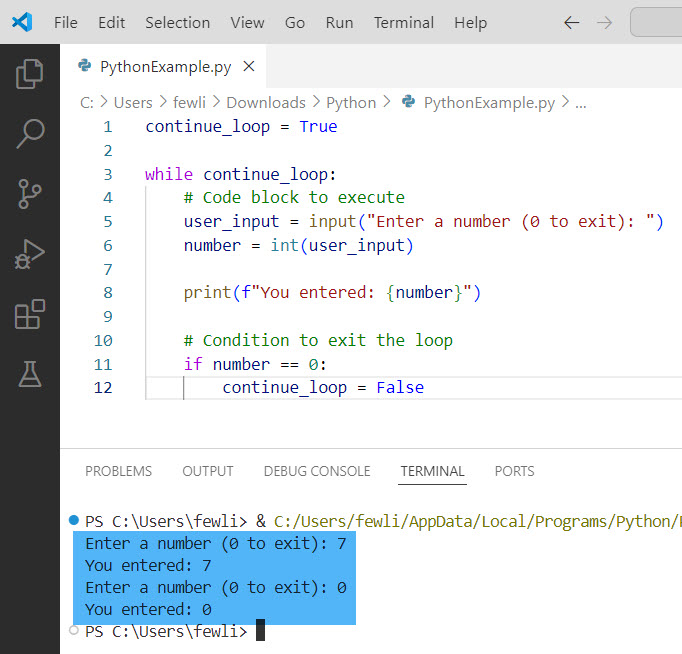
Another approach is to use a flag variable to control the loop in Python. This can make the loop’s intention clearer and can be particularly useful in more complex scenarios.
continue_loop = True

while continue_loop:
    # Code block to execute
    user_input = input("Enter a number (0 to exit): ")
    number = int(user_input)

    print(f"You entered: {number}")

    # Condition to exit the loop
    if number == 0:
        continue_loop = False
Here, continue_loop is initially set to True, ensuring that the loop runs at least once. If the user enters 0, the flag is set to False, causing the loop to exit.
Here is the output in the screenshot below:
Check out Python While Loop Break and Continue
Do While Loop in Python Examples
Now, let me show you a few examples of implementing do while loop in Python with examples.
Example 1: User Authentication
Consider a scenario where you need to authenticate a user by asking for their username and password. You want to ensure that the authentication check happens at least once.
authenticated = False

while not authenticated:
    username = input("Enter your username: ")
    password = input("Enter your password: ")

    if username == "admin" and password == "password123":
        authenticated = True
        print("Access granted.")
    else:
        print("Invalid credentials. Please try again.")
In this example, the loop will continue to prompt the user for their credentials until they enter the correct username and password.
Example 2: Data Validation
Another practical use case is data validation. Suppose you need to collect a valid email address from the user.
import re

email_pattern = r'^[a-z0-9]+[\._]?[a-z0-9]+[@]\w+[.]\w+$'
valid_email = False

while not valid_email:
    email = input("Enter your email address: ")

    if re.match(email_pattern, email):
        valid_email = True
        print("Valid email address.")
    else:
        print("Invalid email address. Please try again.")
This loop ensures that the user is prompted to enter their email address until a valid format is provided.
Conclusion
While Python does not natively support the do-while loop, you can easily emulate its functionality using while loops with break statements or flag variables. These methods ensure that your code block executes at least once before any condition is checked. I have explained all these methods with examples related to do while loop in Python.

I’m Michelle Gallagher, a Senior Python Developer at Lumenalta based in New York, United States. I have over nine years of experience in the field of Python development, machine learning, and artificial intelligence. My expertise lies in Python and its extensive ecosystem of libraries and frameworks. Throughout my career, I’ve had the pleasure of working on a variety of projects that have leveraged my skills in Python and machine learning. Read more…