
Dynamic variables in Python are variables where variable names and values can be generated and manipulated at runtime. This can be particularly useful in scenarios where the number of variables or their names are not known ahead of time. In this tutorial, I will show you various methods to create dynamic variables in Python, with real-time examples.
Now, let me show you different methods to create dynamic variables in Python.
1. Using Dictionaries
The best way to create dynamic variables in Python is to use dictionaries. This method is simple and maintains readability and efficiency.
Let me show you an example of how to use a dictionary to create dynamic variables in Python.
Suppose you want to track the population of various states in the USA dynamically.
state_populations = {}
states = ["California", "Texas", "Florida", "New York", "Illinois"]

for state in states:
    population = int(input(f"Enter the population for {state}: "))
    state_populations[state] = population

print(state_populations)
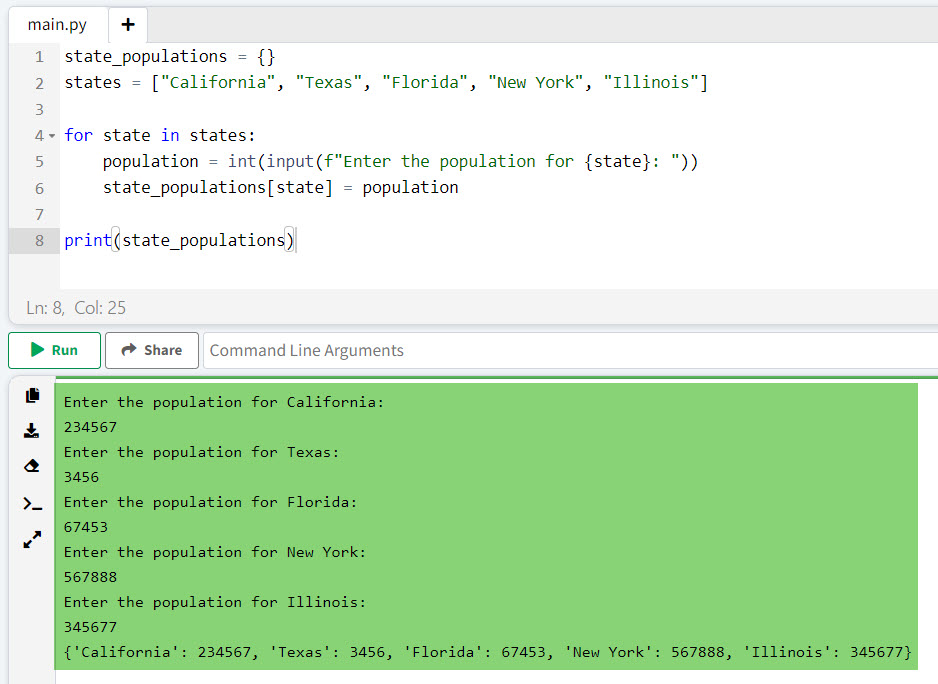
In this example, we use a dictionary state_populations to store the population data keyed by state names. This allows us to add new states and their populations dynamically without predefined variable names.
I executed the above Python code, and you can see the output in the screenshot below:
Read Print Variable Names in a For Loop in Python
2. Using the globals() Function
You can also create dynamic variables in Python using globals() function.
The globals() function returns a dictionary representing the current global symbol table. This can be used to create global variables dynamically.
Here is an example.
Imagine you want to create variables for state capitals dynamically. Here is the complete Python code.
states_and_capitals = {
    "California": "Sacramento",
    "Texas": "Austin",
    "Florida": "Tallahassee",
    "New York": "Albany",
    "Illinois": "Springfield"
}

for state, capital in states_and_capitals.items():
    globals()[f"{state}_capital"] = capital

print(California_capital)  # Output: Sacramento
print(Texas_capital)       # Output: Austin
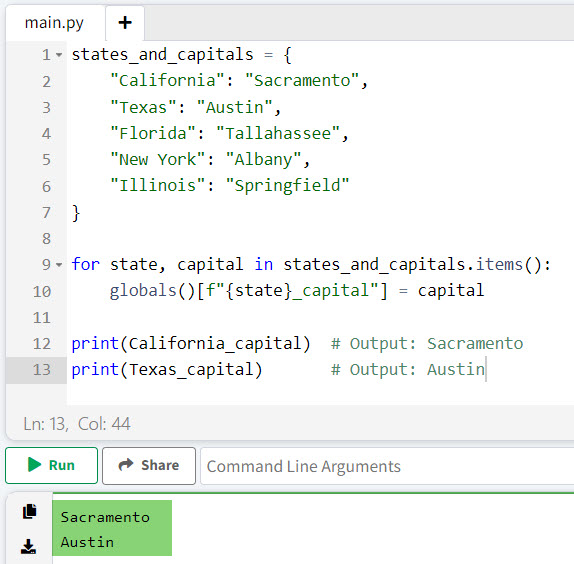
Here, we use globals() to create variables like California_capital and Texas_capital dynamically.
I executed the above Python code, and you can see the output in the screenshot below:
3. Using the exec() Function
The exec() function can execute dynamically created Python code, which can include the creation of variables. Let me show you an example.
Suppose you need to set sales tax rates for various states dynamically; then, you can write the Python code below.
states_and_tax_rates = {
    "California": 0.0725,
    "Texas": 0.0625,
    "Florida": 0.06,
    "New York": 0.04,
    "Illinois": 0.0625
}

for state, tax_rate in states_and_tax_rates.items():
    exec(f"{state}_tax_rate = {tax_rate}")

print(California_tax_rate)  # Output: 0.0725
print(Texas_tax_rate)       # Output: 0.0625
Using exec(), we dynamically create variables for the tax rates of each state.
Check out How to Print A Variable in Python?
4. Using Classes and setattr()
You can use classes along with the setattr() function to create attributes dynamically in Python.
Let me show you an example to understand it better.
Consider a scenario where you need to store weather data for different states.
class WeatherData:
    pass

weather = WeatherData()
states_and_weather = {
    "California": {"temperature": 75, "humidity": 20},
    "Texas": {"temperature": 85, "humidity": 30},
    "Florida": {"temperature": 90, "humidity": 70},
    "New York": {"temperature": 70, "humidity": 50},
    "Illinois": {"temperature": 65, "humidity": 40}
}

for state, data in states_and_weather.items():
    setattr(weather, f"{state}_weather", data)

print(weather.California_weather)  # Output: {'temperature': 75, 'humidity': 20}
print(weather.Texas_weather)       # Output: {'temperature': 85, 'humidity': 30}
In this example, we use setattr() to dynamically create attributes for the WeatherData class instance.
Conclusion
In this tutorial, I explained how to create dynamic variables in Python using different methods, such as dictionaries, the globals() Function, the exec() Function, Classes, and setattr(). I hope this tutorial helps you learn this.
You may like the following tutorials:
- Python local variable referenced before assignment
- Local and Global Variables in Python
- Create Multiple Variables in a For Loop in Python
- Constant Variables in Python

I’m Michelle Gallagher, a Senior Python Developer at Lumenalta based in New York, United States. I have over nine years of experience in the field of Python development, machine learning, and artificial intelligence. My expertise lies in Python and its extensive ecosystem of libraries and frameworks. Throughout my career, I’ve had the pleasure of working on a variety of projects that have leveraged my skills in Python and machine learning. Read more…