
Recently, a Python developer pinged me on LinkedIn to ask for a solution to an error she was getting while trying to check the type of a Python variable. I suggested different methods for this. In this tutorial, I will show you various methods to check the type of a variable in Python with examples and code.
To check the type of a variable in Python, you can use the built-in type() function. This function returns the type of the object passed to it. For example, if you have a variable city = "New York", calling type(city) will return <class 'str'>, indicating that city is a string. This method is straightforward and effective for quickly determining the type of any variable.
Check the Type of a Variable in Python
Python provides different methods to check the type of a variable. Let me show you one by one with example and the complete code.
The type() Function
The simplest and most common method to check the type of a variable in Python is by using the built-in type() function. This function returns the type of the object passed to it.
Let me show you two examples to help you understand it better.
Example 1: Checking the Type of a String
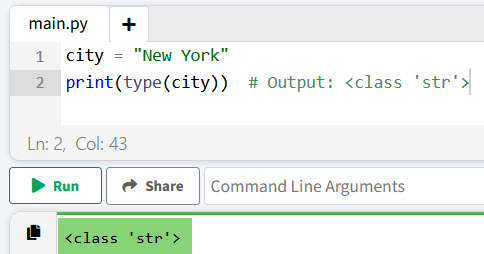
city = "New York"
print(type(city))  # Output: <class 'str'>
In this example, city is a string variable containing the name of a city in the USA. The type() function confirms that city is of type str.
You can see the exact output in the screenshot below:
Example 2: Checking the Type of an Integer
Here is another example to check the type of an integer variable.
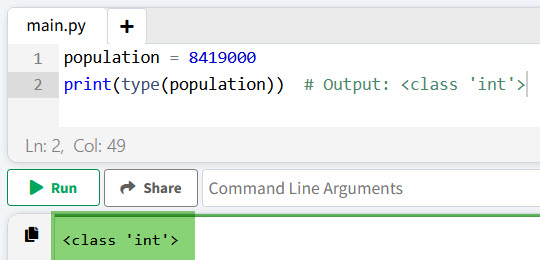
population = 8419000
print(type(population))  # Output: <class 'int'>
Here, population is an integer representing the population of New York City. The type() function identifies it as an int.
I executed the above code, and you can see in the screenshot below the exact output:
Check out How to Check if a Variable is None in Python?
The isinstance() Function
Another way to check the type of a variable in Python is by using the isinstance() function. This function checks if an object is an instance of a specified class or a tuple of classes.
Let’s look at a few examples to understand it better.
Example 3: Using isinstance() with a List
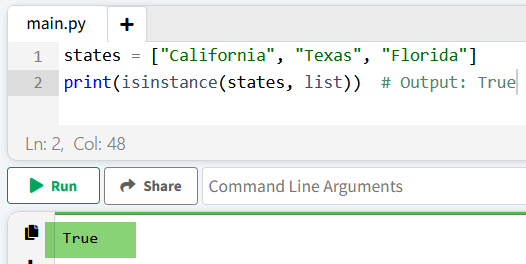
states = ["California", "Texas", "Florida"]
print(isinstance(states, list))  # Output: True
In this example, states is a list of state names. The isinstance() function confirms that states is indeed a list.
You can see the output in the screenshot below after I executed the above Python code.
Example 4: Using isinstance() with Multiple Types
area = 423967  # in square kilometers
print(isinstance(area, (int, float)))  # Output: True
Here, area is an integer representing the area of California. The isinstance() function checks if area is either an int or a float, returning True.
Conclusion
In this tutorial, I have explained different methods to check the type of a variable in Python. The type() function is the best and recommended way to determine the type, while the isinstance() function offers more flexibility, especially when dealing with multiple types. I hope this tutorial helps you.
You may also like:
- Constant Variables in Python
- How to Check if a Variable is Defined in Python?
- How to Check if a Variable Exists in Python?
- Check Type of Variable Is String in Python
- How to Check Variable Type is Boolean in Python?
- How to Check if a Variable is a Number in Python?
- How to Check Variable Type is datetime in Python?

I’m Michelle Gallagher, a Senior Python Developer at Lumenalta based in New York, United States. I have over nine years of experience in the field of Python development, machine learning, and artificial intelligence. My expertise lies in Python and its extensive ecosystem of libraries and frameworks. Throughout my career, I’ve had the pleasure of working on a variety of projects that have leveraged my skills in Python and machine learning. Read more…