
I was working with a program where I used some Python variables. I need to check if the variable is None. In this tutorial, I will show you various methods to check if a variable is None in Python, using detailed examples.
To check if a variable is None in Python, the most Pythonic way is to use the is operator. This checks for object identity, making it ideal for comparing with None. For example, if you have a variable x, you can use if x is None: to determine if x is None. This method is preferred over using equality operators as it is more idiomatic and clear in Python.
Why Check for None in Python?
In Python, None is a special constant representing the absence of a value or a null value. It is an object of its own datatype, the NoneType.
In many applications, especially those involving data processing, web development, or API interactions, you might encounter situations where a variable can be None. It would be best if you handled these cases to avoid errors and ensure the robustness of your code.
Check if a Variable is None in Python
Now, let me show you how to check if a variable is None in Python using different methods with examples.
Method 1: Using is and is not
The best way to check if a variable is None is by using the is operator. This checks for object identity, which is ideal for comparing with None.
Let me show you an example.
Suppose you are working with an API that provides weather data. Sometimes, the API might return None if the data is not available.
def get_weather_data(city):
    # Simulated API response
    api_response = None  # Let's assume the API returned None

    if api_response is None:
        print(f"No weather data available for {city}.")
    else:
        print(f"Weather data for {city}: {api_response}")

get_weather_data("New York")
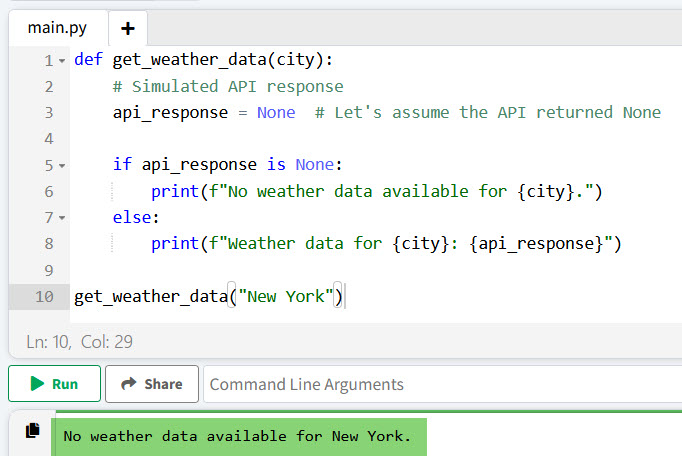
In this example, we use is None to check if the api_response is None.
Once you execute the above Python code, you can see the output in the screenshot below:
Check out How to Check if a Variable is Defined in Python?
Method 2: Using Equality Operators
Although not as common, you can use the equality operator == to check if a variable is None in Python. However, this is generally less preferred than using is.
Here is an example to understand it better.
Imagine you have a form where users can input their age. If the field is left blank, it might be set to None.
def validate_user_age(age):
    if age == None:
        print("Age is not provided.")
    else:
        print(f"User's age is {age}.")

validate_user_age(None)
Here, age == None checks if the age is None. Although this works, using is None is more idiomatic in Python.
Method 3: Using if not
Another way to check for None or other “falsy” values is to use if not. This method is useful when you want to check for None, empty strings, or other values that evaluate to False.
Here is an example and a complete Python code.
Consider a scenario where you query a database for a user’s email address. If the user does not exist, the query might return None.
def get_user_email(user_id):
    # Simulated database query result
    email = None  # Let's assume the query returned None

    if not email:
        print(f"No email found for user ID {user_id}.")
    else:
        print(f"User's email is {email}.")

get_user_email(12345)
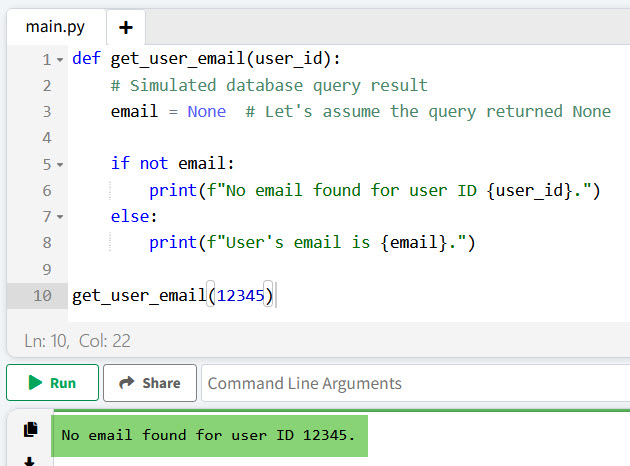
In this example, if not email checks if the email is None or any other falsy value (like an empty string).
You can see the output in the screenshot below after I executed the above Python code.
Read Constant Variables in Python
Method 4: Using try and except
In some cases, you might want to handle None values by catching exceptions. This method can be useful when dealing with operations that might fail if a variable is None.
Let me show you an example.
Suppose you have a dictionary with user information and want to access a key that might not exist.
user_info = {"name": "John Doe", "age": 30}

def get_user_phone(user_info):
    try:
        phone = user_info["phone"]
    except KeyError:
        phone = None

    if phone is None:
        print("Phone number is not available.")
    else:
        print(f"User's phone number is {phone}.")

get_user_phone(user_info)
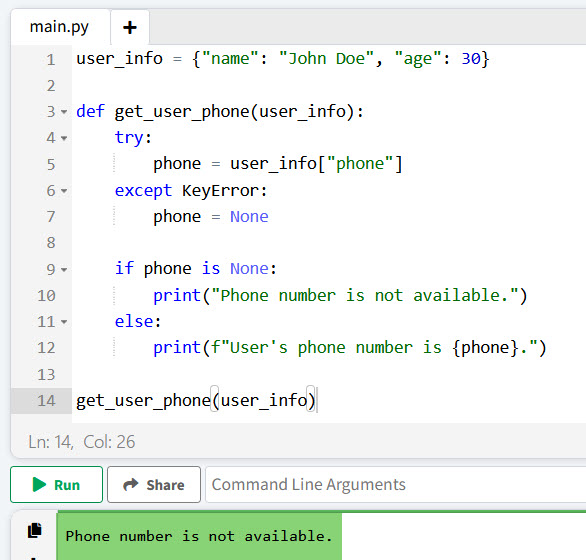
Here, we use a try block to attempt to access the phone key. If it doesn’t exist, a KeyError is caught, and phone is set to None.
I have executed the above Python code, and you can see the output in the screenshot below:
Conclusion
In this tutorial, I have explained how to check if a variable is None in Python using various methods, such as using the is operator, equality checks, if not, and exception handling, etc.
If you still have any questions? leave a comment below:
- How to Make a Variable Global in Python?
- How to Check if a Variable Exists in Python?
- How to Check Variable Type is Boolean in Python?

I’m Michelle Gallagher, a Senior Python Developer at Lumenalta based in New York, United States. I have over nine years of experience in the field of Python development, machine learning, and artificial intelligence. My expertise lies in Python and its extensive ecosystem of libraries and frameworks. Throughout my career, I’ve had the pleasure of working on a variety of projects that have leveraged my skills in Python and machine learning. Read more…