
When writing Python code, it’s essential to ensure that variables are defined before using them. This helps avoid runtime errors and makes the code more robust. In this tutorial, I will show you various methods to check if a variable is defined in Python, using examples.
To check if a variable is defined in Python, you can use the try and except block. This method attempts to access the variable within the try block, and if the variable is not defined, a NameError is caught in the except block. For example:
try:
    population_of_california
except NameError:
    print("The variable 'population_of_california' is not defined.")
else:
    print("The variable 'population_of_california' is defined.")
This approach ensures that your code handles undefined variables gracefully.
Check if a Variable is Defined in Python
Now, let me show you different methods to check if a variable is defined in Python with a few examples.
1. Using try and except
One of the best ways to check if a variable is defined in Python is by using a try block along with an except block to catch a NameError. This method is simple and effective.
Let me show you an example.
Example
try:
    population_of_california
except NameError:
    print("The variable 'population_of_california' is not defined.")
else:
    print("The variable 'population_of_california' is defined.")
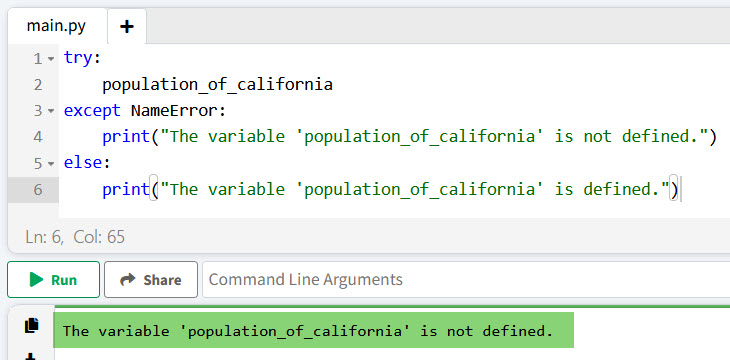
In this example, if the variable population_of_california is not defined, the except block will execute, printing a message indicating that the variable is not defined. If it is defined, the else block will execute.
I executed the above Python code, and you can see the output in the screenshot below:
Check out How to Make a Variable Global in Python?
2. Using the locals() or globals() Function
Python provides two built-in functions, locals() and globals(), that return dictionaries representing the current local and global symbol tables, respectively. You can use these functions to check if a variable exists.
Let me show you examples.
Example
Local Scope
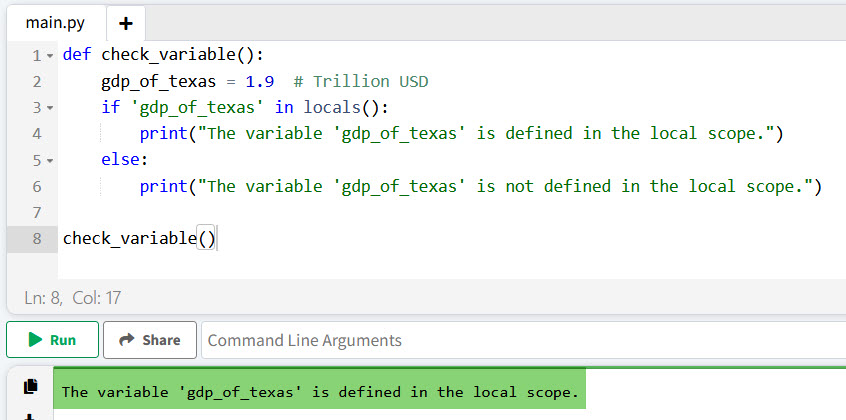
Here is an example of how to check if a variable is defined in Python using local scope.
def check_variable():
    gdp_of_texas = 1.9  # Trillion USD
    if 'gdp_of_texas' in locals():
        print("The variable 'gdp_of_texas' is defined in the local scope.")
    else:
        print("The variable 'gdp_of_texas' is not defined in the local scope.")

check_variable()
Here is the output in the screenshot below after I executed the above Python code.
Global Scope
Here is an example of how to check if a variable is defined in Python using global scope.
unemployment_rate_usa = 3.5  # Percent

if 'unemployment_rate_usa' in globals():
    print("The variable 'unemployment_rate_usa' is defined in the global scope.")
else:
    print("The variable 'unemployment_rate_usa' is not defined in the global scope.")
In these examples, locals() and globals() are used to check for the presence of variables within their respective scopes.
Read Check if a Variable Exists in Python
3. Using the in Keyword
You can also use the in keyword to check if a variable is defined in Python within the current scope. This method is particularly useful when dealing with dictionaries.
Example
Here is an example to understand it better.
states_population = {
    'California': 39538223,
    'Texas': 29145505,
    'Florida': 21538187
}

if 'California' in states_population:
    print("The population of California is defined.")
else:
    print("The population of California is not defined.")
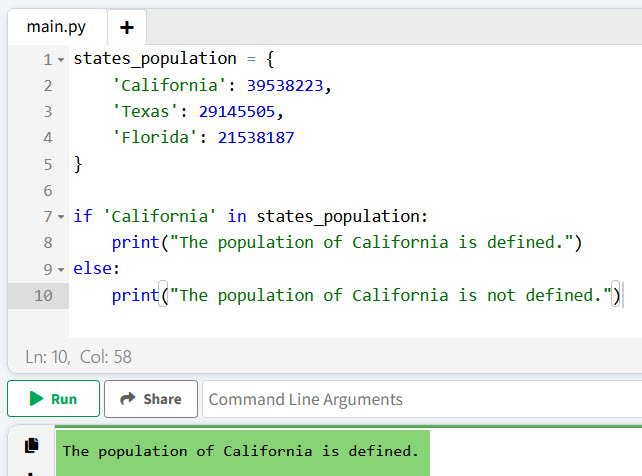
In this example, the in keyword checks if the key 'California' exists in the states_population dictionary.
You can see the screenshot below for the output after I executed the above Python code.
Conclusion
In this tutorial, I have explained how to check if a variable is defined in Python using various methods, such as try and except, locals() and globals(), or the in keyword, etc. I hope this helps with the examples I have explained above.
You may like the following tutorials:
- How to Use Static Variables in Python?
- Create Dynamic Variables in Python
- How to Print A Variable in Python?
- How to Check if a Variable is None in Python?

I’m Michelle Gallagher, a Senior Python Developer at Lumenalta based in New York, United States. I have over nine years of experience in the field of Python development, machine learning, and artificial intelligence. My expertise lies in Python and its extensive ecosystem of libraries and frameworks. Throughout my career, I’ve had the pleasure of working on a variety of projects that have leveraged my skills in Python and machine learning. Read more…