
One of the New York Python user group members asked about checking if a variable contains an integer in Python. I explained them with different methods. In this tutorial, I will show you how to check if a variable contains an integer in Python with examples.
To check if a variable contains an integer in Python, you can use the built-in isinstance() function. This function takes the variable and the type (int) as arguments and returns True if the variable is an integer, False otherwise. For example:
age = 25
if isinstance(age, int):
    print("Age is an integer.")
else:
    print("Age is not an integer.")
In this example, isinstance(age, int) will return True since age is an integer, and the output will be “Age is an integer.”
Check if a Variable Contains an Integer in Python
This is a very common requirement in Python. For example, you may need to validate user input to ensure it’s a valid integer before performing a mathematical operation. However, Python provides different methods for this. I will show you the best three methods.
1. Using the isinstance() Function
One of the ways to check if a variable is an integer is by using Python’s built-in isinstance() function. This function takes two arguments: the variable to check and the type to compare against. It returns True if the variable is an instance of the specified type.
Here’s an example of using isinstance() to validate user input:
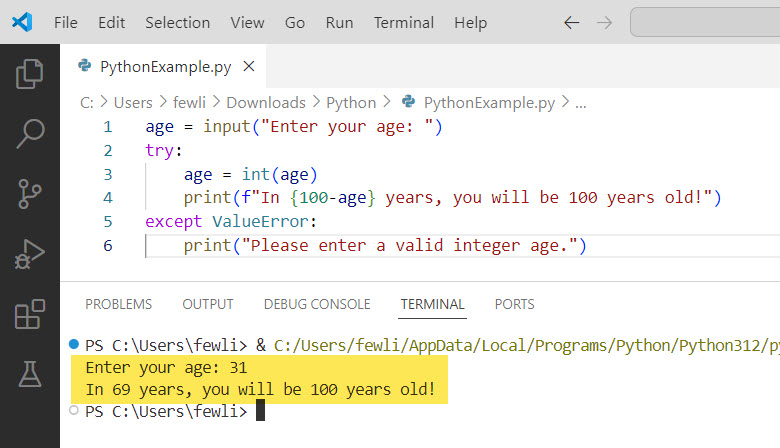
age = input("Enter your age: ")
try:
    age = int(age)
    print(f"In {100-age} years, you will be 100 years old!")
except ValueError:
    print("Please enter a valid integer age.")
In this example:
- We use a
try-exceptblock to handle the case where the user enters a non-integer value. - Inside the
tryblock, we convert theagestring to an integer usingint(age). If the user entered a valid integer, this conversion will succeed, andagewill now be an integer. - If the conversion succeeds, the code proceeds to print the message telling the user how many years until they turn 100.
- If the user enters a non-integer value, the
int(age)conversion will raise aValueError. Theexceptblock catches this error and prints an error message asking the user to enter a valid integer age.
I executed the above Python code, and you can see the output in the screenshot below:
Check out Check if a Variable is an Integer in Python
2. Using the isdecimal() String Method
Another way to check if a string contains only integer characters is by using the isdecimal() string method in Python. This method returns True if all characters in the string are decimal characters (0-9), and False otherwise.
Here’s an example of using isdecimal() to validate a US zip code:
zip_code = input("Enter your 5-digit zip code: ")
if zip_code.isdecimal() and len(zip_code) == 5:
    print(f"Your zip code is {zip_code}.")
else:
    print("Please enter a valid 5-digit zip code containing only numbers.")
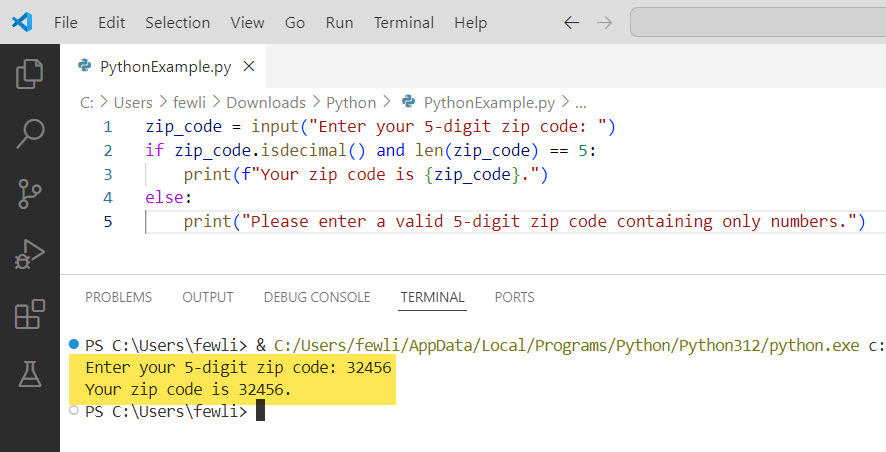
This code prompts the user to enter their 5-digit US zip code. It then uses isdecimal() to check if the entered zip_code string contains only decimal digit characters. It also checks that the length is exactly 5 characters. If both conditions are met, it prints out the valid zip code. Otherwise, it displays an error message.
Here is the output in the screenshot below after I executed the above Python code:
3. Using the isnumeric() String Method
Similar to Python isdecimal(), the isnumeric() string method checks if all characters in a string are numeric characters, including digits, numeric symbols, and subscripts/superscripts. It returns True if so, and False if any non-numeric characters are present.
For example, let’s say we want to check if a variable represents a valid ISBN-13 book number, which should contain only digits:
isbn = "978-0-596-52068-7"
isbn_digits = isbn.replace("-", "")
if isbn_digits.isnumeric() and len(isbn_digits) == 13:
    print(f"{isbn} is a valid ISBN-13 number.")
else:
    print(f"{isbn} is not a valid ISBN-13 number. It must contain 13 digits.")
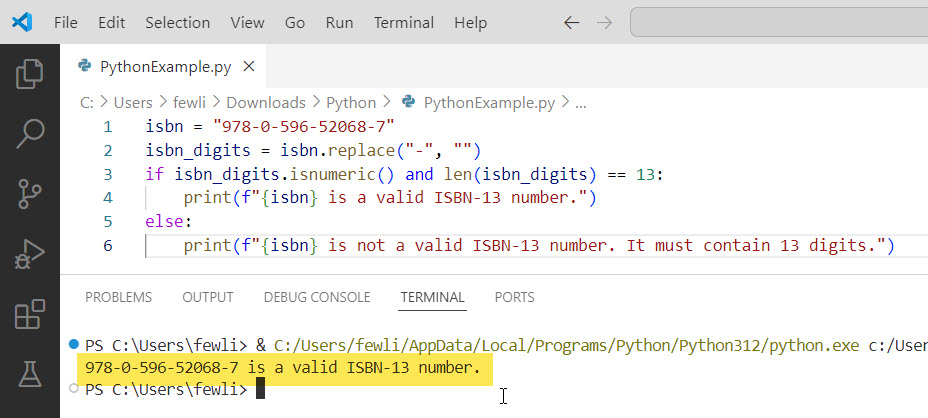
Here, we take an isbn string that includes hyphens and use the replace() method to remove them, leaving only the digits. We then use isnumeric() to verify the remaining isbn_digits string contains only numeric characters and is 13 digits long. If so, we print that it is a valid ISBN-13 number. If not, we print an error message explaining it must be 13 digits.
You can see the output in the screenshot below:
Conclusion
As you can see, Python offers several useful ways to check if a variable contains an integer value. The isinstance() function checks the variable type directly, while string methods like isdecimal() and isnumeric() analyze the characters within a string.
I hope the above examples help you check if a variable contains an integer value. If you still have questions, feel free to leave a comment below, and I will reply as soon as possible.
You may also like the following tutorials:
- How to Initialize an Empty Variable in Python?
- How to Increment a Variable in Python?
- How to Check if a Variable is Null in Python?

I’m Michelle Gallagher, a Senior Python Developer at Lumenalta based in New York, United States. I have over nine years of experience in the field of Python development, machine learning, and artificial intelligence. My expertise lies in Python and its extensive ecosystem of libraries and frameworks. Throughout my career, I’ve had the pleasure of working on a variety of projects that have leveraged my skills in Python and machine learning. Read more…