
When working with global variables in Python, you should check if a global variable is initialized before using it. This is particularly important in larger applications where multiple functions and modules interact with each other. In this tutorial, I will explain how to check if a global variable is initialized in Python, using examples that are easy to understand, even for beginners.
To check if a global variable is initialized in Python, you can use the globals() function, which returns a dictionary of all global variables. Simply check if the variable name exists in this dictionary. For example, if 'city' in globals(): will return True if the global variable city is initialized, allowing you to safely access its value.
Check if a Global Variable is Initialized in Python
Before checking, let me show you an example of a global variable in Python.
A global variable is a variable that is defined outside of any function and is accessible throughout the entire program. In Python, you can define a global variable simply by declaring it outside of any function:
# Global variable
city = "New York"
This variable city can now be accessed and modified by any function within the same module.
1. Using global() Function
To check if a global variable is initialized, you can use the globals() function. The globals() function can be used to check for the existence of a global variable. Here’s an example:
# Check if 'city' is a global variable
if 'city' in globals():
    print(f"The global variable 'city' is initialized with value: {globals()['city']}")
else:
    print("The global variable 'city' is not initialized.")
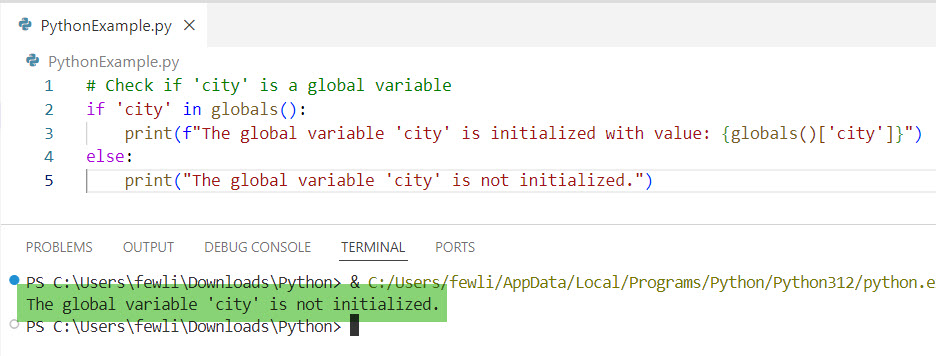
In this example, we first check if the key 'city' exists in the dictionary returned by globals(). If it does, we print its value; otherwise, we indicate that the variable is not initialized.
The exact output can be seen in the screenshot below. I executed the above Python code using VS code.
Check out How to Check if a Global Variable is Defined in Python?
2. Using a Function to Encapsulate the Check
You can create a function to encapsulate the checking logic, making your code cleaner and more reusable:
def is_global_initialized(var_name):
    return var_name in globals()

# Example usage
if is_global_initialized('city'):
    print(f"The global variable 'city' is initialized with value: {globals()['city']}")
else:
    print("The global variable 'city' is not initialized.")
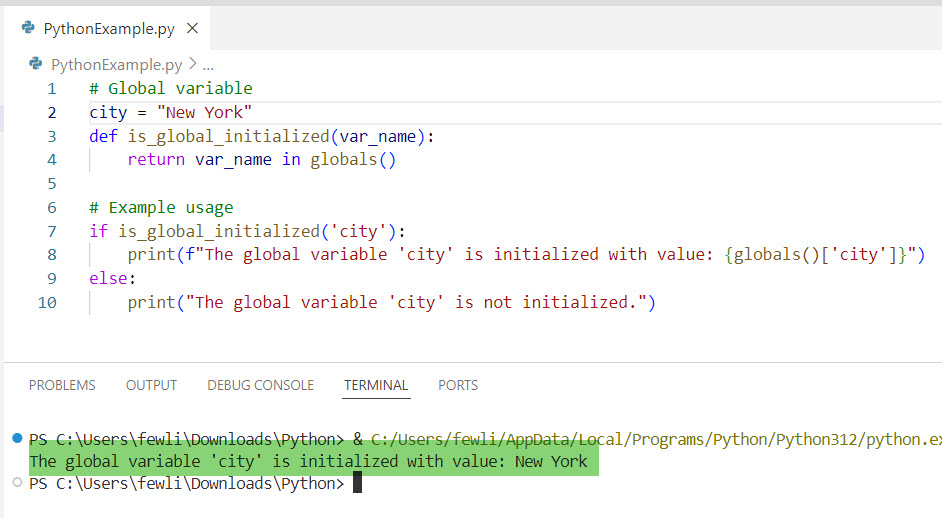
This function is_global_initialized takes the name of the variable as a string and returns True if the variable is initialized and False otherwise.
Now. You can see the exact output in the screenshot below after I executed the above Python code.
3. Handle Uninitialized Variables
Sometimes, you might want to initialize a global variable only if it hasn’t been initialized yet. Here’s how you can do that:
if not is_global_initialized('population'):
    population = 8000000  # Initialize the global variable

print(f"The global variable 'population' is initialized with value: {population}")
In this example, we check if population is initialized. If it is not, we initialize it with a default value.
Complete Example
Now, let me give you a complete example to help you understand it better.
# Global variables
cities_population = {
    "New York": 8419000,
    "Los Angeles": 3980000,
    "Chicago": 2716000
}

def add_city(city, population):
    if city not in cities_population:
        cities_population[city] = population
        print(f"Added {city} with population {population}.")
    else:
        print(f"{city} is already in the list with population {cities_population[city]}.")

def update_population(city, population):
    if city in cities_population:
        cities_population[city] = population
        print(f"Updated {city}'s population to {population}.")
    else:
        print(f"{city} is not in the list. Please add it first.")

def display_population():
    for city, population in cities_population.items():
        print(f"{city}: {population}")

# Example usage
add_city("San Francisco", 883305)
update_population("Los Angeles", 4000000)
display_population()
In this example, we have a global dictionary cities_population that stores the population of various cities. The functions add_city, update_population, and display_population interact with this global variable.
In this tutorial, I have explained how to check if a global variable is initialized in Python using the global() function with an example.
You may also like the following tutorials:

I’m Michelle Gallagher, a Senior Python Developer at Lumenalta based in New York, United States. I have over nine years of experience in the field of Python development, machine learning, and artificial intelligence. My expertise lies in Python and its extensive ecosystem of libraries and frameworks. Throughout my career, I’ve had the pleasure of working on a variety of projects that have leveraged my skills in Python and machine learning. Read more…