
Someone asked me a question and answered sessions about the POP function in Python. In this tutorial, I explained how to work with the POP function in Python with examples.
The pop function in Python is a built-in method used to remove and return the last element from a list by default. Its syntax is list.pop(), where list is the list from which you want to remove the element. For example, if you have cities = ["New York", "Los Angeles", "Chicago"] and you call cities.pop(), it will remove and return "Chicago", leaving the list as ["New York", "Los Angeles"].
What is the pop Function in Python?
The pop function in Python is a built-in method used to remove and return an element from a list. This function is particularly useful when you need to both remove an element and use it later in your code. By default, pop removes the last element of the list, but you can also specify an index to remove an element from a particular position.
Syntax of the pop Function
The syntax of the pop function is easy. Here it is:
list.pop(index)list: The list from which you want to remove the element.index: This is an optional parameter. It specifies the position of the element you want to remove. If not provided, thepopfunction removes the last element in the list.
Check out Range Function in Python
How Does the pop Function Work?
The pop function in Python modifies the original list by removing the specified element and returns the removed element. This is particularly useful when you want to remove an element and still need to use that element later in your code.
Default Behavior
If you do not specify an index, the pop function removes and returns the last element of the list. This is useful for stack operations where you need to follow a Last-In-First-Out (LIFO) order.
cities = ["New York", "Los Angeles", "Chicago", "Houston", "Phoenix"]
removed_city = cities.pop()
print(removed_city)  # Output: Phoenix
print(cities)        # Output: ['New York', 'Los Angeles', 'Chicago', 'Houston']
In this example, Phoenix is removed from the list and stored in the variable removed_city. The list cities is then updated to reflect this removal.
I executed the Python code, and you can see the output in the screenshot below:

Specifying an Index
You can also specify the index of the element you want to remove. This is useful when removing an element from a specific position in the list.
cities = ["New York", "Los Angeles", "Chicago", "Houston", "Phoenix"]
removed_city = cities.pop(1)
print(removed_city)  # Output: Los Angeles
print(cities)        # Output: ['New York', 'Chicago', 'Houston', 'Phoenix']
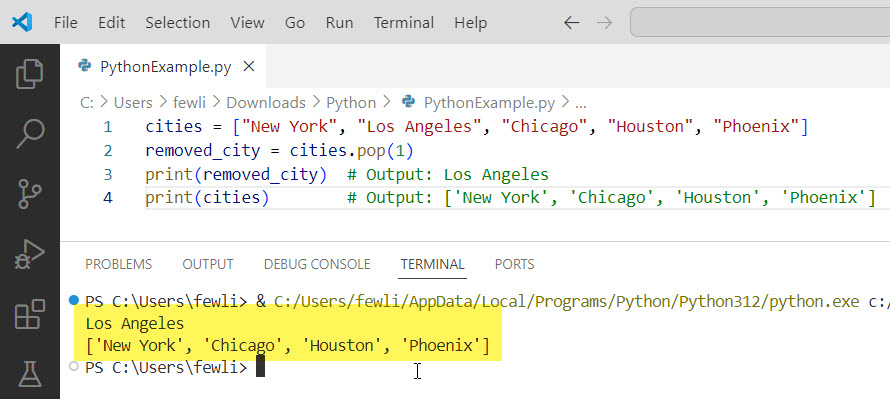
In this example, the element at index 1 (Los Angeles) is removed from the list and stored in the variable removed_city. The list cities is then updated accordingly.
Here is the output in the screenshot below:
Check out Square Root Function in Python
Practical Examples of Using Python POP Function
Let me show you some practical examples to see how you can use the pop function in Python in different scenarios.
Example 1: Manage a To-Do List
Imagine you have a to-do list, and you want to remove tasks as you complete them. The pop function can be very handy in this scenario.
todo_list = ["Buy groceries", "Call John", "Pay bills", "Schedule meeting"]
completed_task = todo_list.pop(2)
print(completed_task)  # Output: Pay bills
print(todo_list)       # Output: ['Buy groceries', 'Call John', 'Schedule meeting']
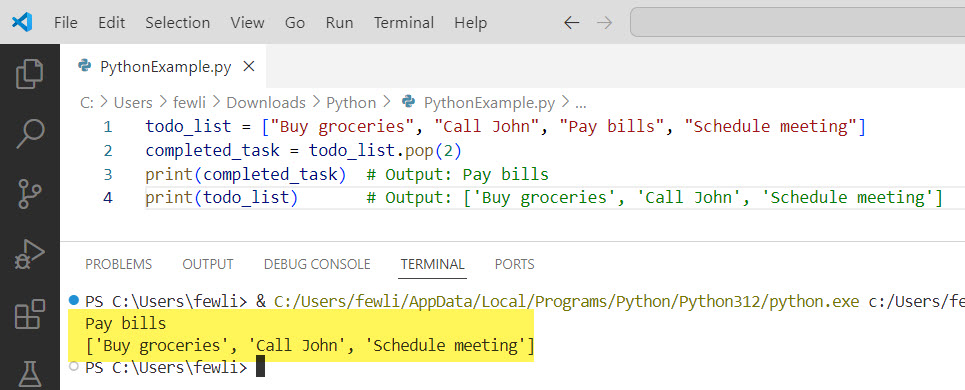
In this example, the task “Pay bills” is removed from the to-do list and stored in the variable completed_task. The todo_list is then updated to reflect this change.
Here is the exact output in the screenshot below:
Example 2: Handle a Queue
In a queue, you might want to process elements in a first-in-first-out (FIFO) manner. Using pop with index 0 can help you achieve this.
queue = ["Customer1", "Customer2", "Customer3"]
served_customer = queue.pop(0)
print(served_customer)  # Output: Customer1
print(queue)            # Output: ['Customer2', 'Customer3']
In this example, the first customer in the queue (Customer1) is removed and stored in the variable served_customer. The queue is then updated to reflect this removal.
Read COUNT() Function in Python
Example 3: Stack Operations
For stack operations, which follow a last-in-first-out (LIFO) order, the default behavior of pop is perfect.
stack = ["Plate1", "Plate2", "Plate3"]
top_plate = stack.pop()
print(top_plate)  # Output: Plate3
print(stack)      # Output: ['Plate1', 'Plate2']
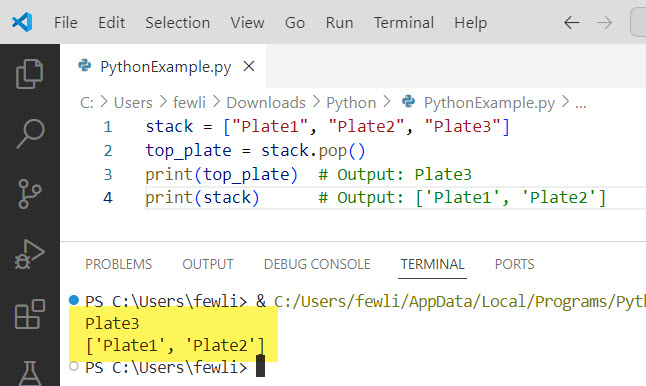
In this example, the top plate (Plate3) is removed from the stack and stored in the variable top_plate. The stack is then updated to reflect this removal.
Here is the output in the screenshot below:
Handle Errors with pop Function
It’s important to note that using pop on an empty list will raise an IndexError. Therefore, it’s a good practice to ensure the list is not empty before calling pop.
Here is the Python code.
empty_list = []
try:
    empty_list.pop()
except IndexError as e:
    print("Error:", e)  # Output: Error: pop from empty list
In this example, an IndexError is caught and handled gracefully, preventing the program from crashing.
Conclusion
The pop function is used to manage lists in Python. Whether you’re handling to-do lists, queues, or stacks, pop can help you efficiently remove and retrieve elements. I have also explained how to handle potential errors gracefully while working with the POP function in Python.
You may also like:

I’m Michelle Gallagher, a Senior Python Developer at Lumenalta based in New York, United States. I have over nine years of experience in the field of Python development, machine learning, and artificial intelligence. My expertise lies in Python and its extensive ecosystem of libraries and frameworks. Throughout my career, I’ve had the pleasure of working on a variety of projects that have leveraged my skills in Python and machine learning. Read more…