
When I first started learning Python, one feature that I focused on was the concept of default arguments in functions. In this tutorial, I will walk you through the syntax, description, and various scenarios where Python function default arguments can be useful.
Default arguments in Python functions allow you to set a parameter’s default value, which is used if no argument is provided during the function call. This is done by assigning a value to the parameter in the function definition. For example, in def greet(name="Guest"):, the parameter name defaults to "Guest" if no argument is passed.
What Are Default Arguments in a Python Function?
In Python, default arguments allow us to define functions with default values for certain parameters. This means that if we don’t provide a value for those parameters when calling the function, Python will automatically use the default values. This can significantly simplify function calls and make our code more readable.
Syntax of Default Arguments
The syntax for default arguments in Python is quite straightforward. Here’s a basic example:
def greet(name="Guest"):
    print(f"Hello, {name}!")
In this example, the name parameter has a default value of "Guest". If we call the greet function without providing an argument, it will use the default value.
Check out How to Call a Function in Python?
Examples of Default Arguments in Python Functions
Let’s look at some examples to see how default arguments work in a Python function.
Example 1: Simple Greeting Function
Here is a simple example.
def greet(name="Guest"):
    print(f"Hello, {name}!")

# Calling the function without an argument
greet()  # Output: Hello, Guest!

# Calling the function with an argument
greet("Alice")  # Output: Hello, Alice!
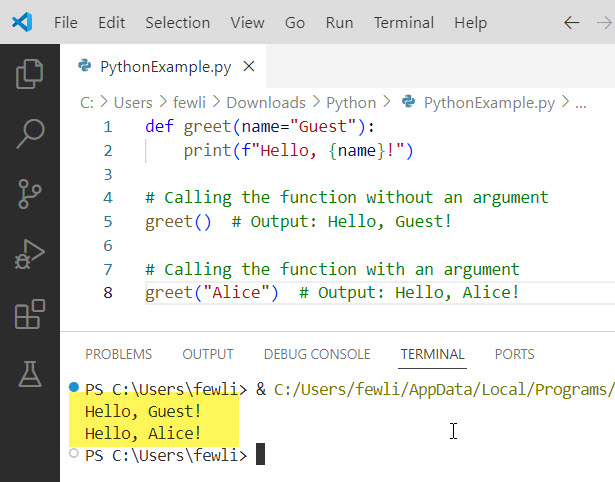
In this example, when we call greet() without any arguments, it prints “Hello, Guest!”. When we provide an argument, it prints the provided name.
Here is the output in the screenshot below:
Read Python Function Examples with Parameters
Example 2: Function with Multiple Default Arguments
Here is an example of a function with multiple default arguments in Python.
def order_pizza(size="Medium", toppings=None):
    if toppings is None:
        toppings = []
    print(f"Ordering a {size} pizza with {', '.join(toppings) if toppings else 'no toppings'}.")

# Calling the function without arguments
order_pizza()  # Output: Ordering a Medium pizza with no toppings.

# Calling the function with one argument
order_pizza("Large")  # Output: Ordering a Large pizza with no toppings.

# Calling the function with both arguments
order_pizza("Small", ["pepperoni", "mushrooms"])  # Output: Ordering a Small pizza with pepperoni, mushrooms.
In this example, the order_pizza The function has two parameters with default values, which allows us to call it with different combinations of arguments.
Example 3: Simplify Function Calls
When writing functions that are frequently called with the same arguments, default arguments can save us from repeatedly specifying those arguments.
Here is the Python code.
def send_email(subject, recipient, body="No content"):
    print(f"Sending email to {recipient} with subject '{subject}' and body '{body}'.")

# Common use case without specifying the body
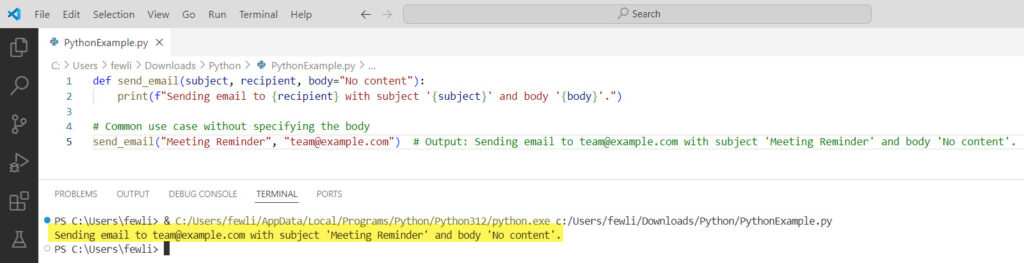
send_email("Meeting Reminder", "team@example.com")  # Output: Sending email to team@example.com with subject 'Meeting Reminder' and body 'No content'.
Check out the output in the screenshot below:
Check out Return Multiple Values from a Function in Python
Example 4: Provide Optional Functionality
Default arguments can be used to provide optional functionality in functions, making them more flexible. Here is an example.
def calculate_area(length, width=None):
    if width is None:
        return length * length  # Square area
    return length * width  # Rectangle area

# Calculating the area of a square
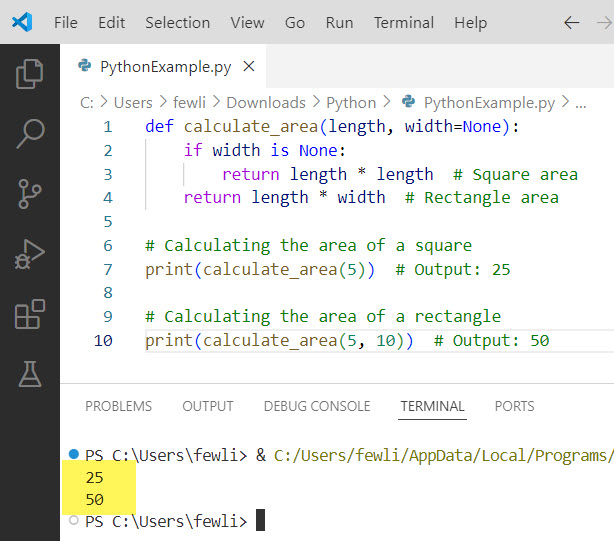
print(calculate_area(5))  # Output: 25

# Calculating the area of a rectangle
print(calculate_area(5, 10))  # Output: 50
Here is the output in the screenshot below:
Example 5: Avoide Mutable Default Argument Pitfalls
One thing to be cautious about is using mutable default arguments, such as lists or dictionaries. These can lead to unexpected behavior. Here is a complete code.
def append_to_list(value, my_list=[]):
    my_list.append(value)
    return my_list

# Calling the function multiple times
print(append_to_list(1))  # Output: [1]
print(append_to_list(2))  # Output: [1, 2] - Unexpected behavior!

# Correct approach using None
def append_to_list_correct(value, my_list=None):
    if my_list is None:
        my_list = []
    my_list.append(value)
    return my_list

print(append_to_list_correct(1))  # Output: [1]
print(append_to_list_correct(2))  # Output: [2]
In this example, using None as the default value and initializing the list inside the function avoids the pitfalls associated with mutable default arguments.
Conclusion
In this tutorial, I explained the default arguments in Python functions. I also explained various examples of using default arguments in functions in Python.
You may also like:
- Call a Function by String in Python
- Call the Main Function in Python
- How to Pass a Function as an Argument in Python?

I’m Michelle Gallagher, a Senior Python Developer at Lumenalta based in New York, United States. I have over nine years of experience in the field of Python development, machine learning, and artificial intelligence. My expertise lies in Python and its extensive ecosystem of libraries and frameworks. Throughout my career, I’ve had the pleasure of working on a variety of projects that have leveraged my skills in Python and machine learning. Read more…