
In this tutorial, I will explain the single line for loops in Python using different methods with examples.
A single line for loop in Python, known as a list comprehension, allows you to create lists in a concise and efficient manner. The basic syntax is [expression for item in iterable if condition]. For example, to double the numbers in a list, you can write [x * 2 for x in numbers], where numbers is your input list. This results in a new list with each element doubled, making your code more readable and compact.
What is a Single Line For Loop in Python?
A single line for loop in Python allows you to write a loop in a more compact form. This is particularly useful for creating lists, dictionaries, or sets in a concise and readable way. The most common form of a single line for loop is the list comprehension.
Check out Python For Loops
Single Line For Loop in Python
Now, let me show you different methods for single lines for loop in Python.
List Comprehensions
List comprehensions provide a way to create lists by applying an expression to each element in an iterable in Python. The basic syntax is:
[expression for item in iterable if condition]Example 1: Doubling Numbers
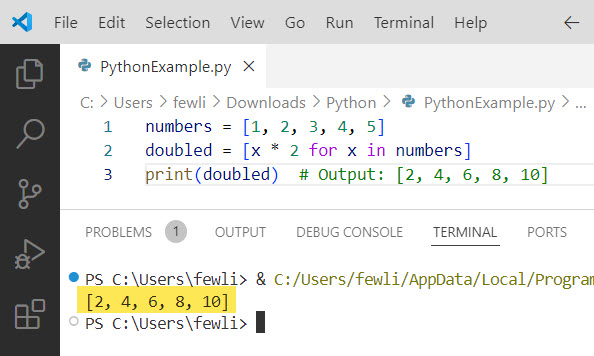
Suppose you want to create a list of doubled numbers from an existing list in Python:
numbers = [1, 2, 3, 4, 5]
doubled = [x * 2 for x in numbers]
print(doubled)  # Output: [2, 4, 6, 8, 10]
The output can be seen in the screenshot below.
Example 2: Filtering Even Numbers
You can also include a condition to filter elements:
numbers = [1, 2, 3, 4, 5, 6, 7, 8, 9, 10]
evens = [x for x in numbers if x % 2 == 0]
print(evens)  # Output: [2, 4, 6, 8, 10]
Dictionary Comprehensions
Similar to list comprehensions, dictionary comprehensions allow you to create dictionaries in a single line:
{key_expression: value_expression for item in iterable if condition}Example 3: Creating a Dictionary of Squares
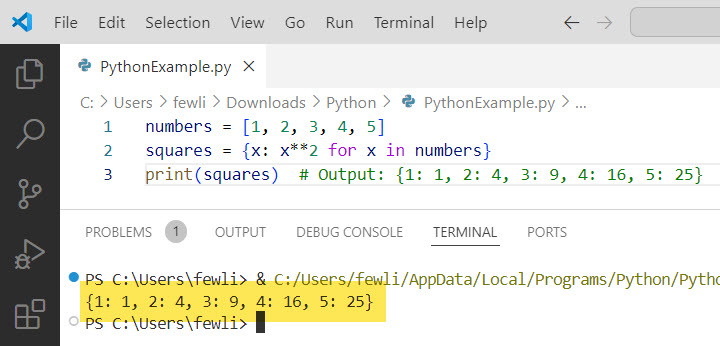
Let’s create a dictionary where keys are numbers and values are their squares:
numbers = [1, 2, 3, 4, 5]
squares = {x: x**2 for x in numbers}
print(squares)  # Output: {1: 1, 2: 4, 3: 9, 4: 16, 5: 25}
Here is the output in the screenshot below:
Set Comprehensions
Set comprehensions are used to create sets in a concise way:
{expression for item in iterable if condition}Example 4: Unique Even Numbers
Create a set of unique even numbers from a list:
numbers = [1, 2, 2, 3, 4, 4, 5, 6, 6]
unique_evens = {x for x in numbers if x % 2 == 0}
print(unique_evens)  # Output: {2, 4, 6}
Nested Comprehensions
You can also nest comprehensions to handle more complex structures.
Example 5: Flattening a Matrix
Flatten a 2D matrix into a 1D list:
matrix = [[1, 2, 3], [4, 5, 6], [7, 8, 9]]
flattened = [num for row in matrix for num in row]
print(flattened)  # Output: [1, 2, 3, 4, 5, 6, 7, 8, 9]
I hope you got an idea of the single line for loop in Python. Whether you’re creating lists, dictionaries, or sets, these one-liners can simplify your code and improve its efficiency.
You may also like the following tutorials:

I’m Michelle Gallagher, a Senior Python Developer at Lumenalta based in New York, United States. I have over nine years of experience in the field of Python development, machine learning, and artificial intelligence. My expertise lies in Python and its extensive ecosystem of libraries and frameworks. Throughout my career, I’ve had the pleasure of working on a variety of projects that have leveraged my skills in Python and machine learning. Read more…