
While working with loops in Python, one of my team members was recently required to skip an iteration for a loop in Python. I suggested different methods. In this tutorial, I will explain how to skip an iteration in a for loop in Python using different methods with examples.
Here, I will also show you:
- How to skip the first iteration in a for loop in Python
- How to skip to the next iteration in a for loop in Python
- How to skip current iteration in for loop in Python
To skip the first iteration in a for loop in Python, you can use slicing to start the loop from the second element. Here’s an example:
tasks = ["task1", "task2", "task3", "task4"]

# Using slicing to skip the first iteration
for task in tasks[1:]:
    print(f"Processing {task}")
In this example, tasks[1:] creates a sublist that excludes the first element. As a result, the loop starts processing from “task2” onwards, effectively skipping the first iteration. The output will be:
Processing task2
Processing task3
Processing task4Skip an Iteration in a For Loop in Python
There are different methods to skip an iteration in a for loop in Python. Let me show you a few examples.
Using the continue Statement
The best way to skip an iteration in a for loop in Python is by using the continue statement. When the continue statement is encountered, the loop skips the rest of the code inside the loop for the current iteration and moves on to the next iteration.
Let me show you an example.
Example: Skipping Even Numbers
Suppose you have a list of numbers, and you want to print only the odd numbers:
numbers = [1, 2, 3, 4, 5, 6, 7, 8, 9, 10]

for number in numbers:
    if number % 2 == 0:
        continue
    print(number)
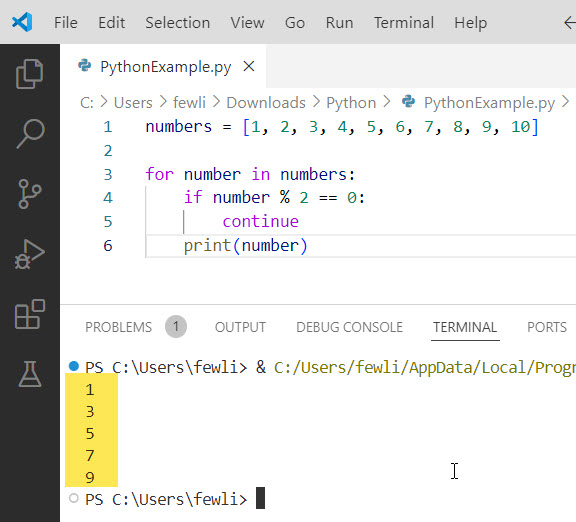
In this example, the continue statement skips the even numbers, so the output will be:
1
3
5
7
9
The output is in the screenshot below after I executed the above Python code.
Read Single Line For Loops in Python
Using the pass Statement
While the pass statement doesn’t skip an iteration, it serves as a placeholder and allows you to write code that does nothing. This can be useful in loops where you want to do nothing for certain iterations explicitly but still maintain the loop structure.
Example: Placeholder for Future Code
Imagine you’re iterating through a list of tasks, and you want to skip some tasks for now but plan to handle them later:
tasks = ["task1", "task2", "task3", "task4"]

for task in tasks:
    if task == "task2":
        pass  # To be implemented later
    else:
        print(f"Processing {task}")
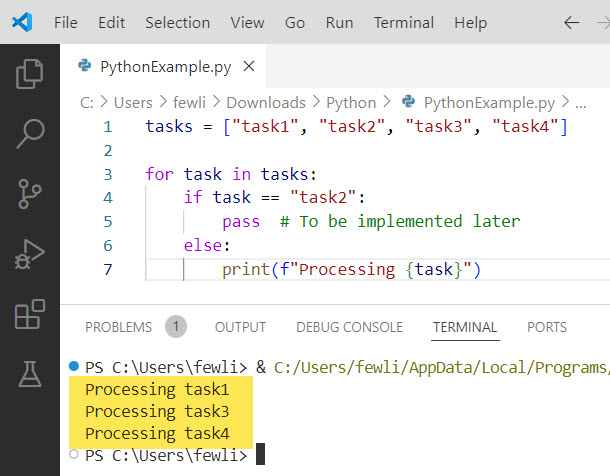
In this example, task2 is skipped, but the loop continues to process the other tasks.
You can see the output in the screenshot below:
Using a try…except Block
Another method to skip an iteration in a Python for loop is by using a try...except block. This is particularly useful when you expect certain exceptions and want to skip iterations that raise those exceptions.
Example: Skipping Iterations with Exceptions
Suppose you have a list of strings, and you want to skip any string that cannot be converted to an integer:
data = ["123", "abc", "456", "def", "789"]

for item in data:
    try:
        number = int(item)
        print(f"Converted {item} to {number}")
    except ValueError:
        print(f"Skipping {item}, not an integer")
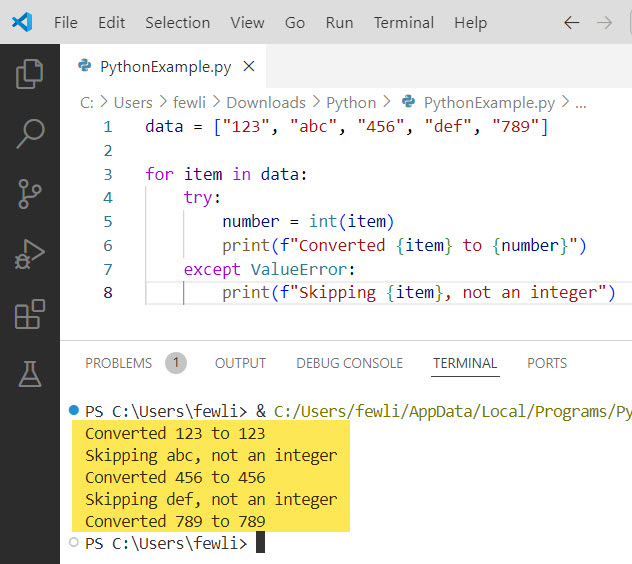
In this example, the try...except block skips strings that cannot be converted to integers, and the output will be:
Converted 123 to 123
Skipping abc, not an integer
Converted 456 to 456
Skipping def, not an integer
Converted 789 to 789
Here is the output in the screenshot below:
Check out How to Stop a While Loop in Python
Skip an Iteration in a For Loop in Python: Real-World Example
Now, let me show you a real-world example of when you might need to skip iterations. Suppose you are processing user data and want to skip users without an email address.
users = [
    {"name": "Alice", "email": "alice@example.com"},
    {"name": "Bob", "email": ""},
    {"name": "Charlie", "email": "charlie@example.com"},
    {"name": "David", "email": None}
]

for user in users:
    if not user["email"]:
        continue
    print(f"Sending email to {user['name']} at {user['email']}")
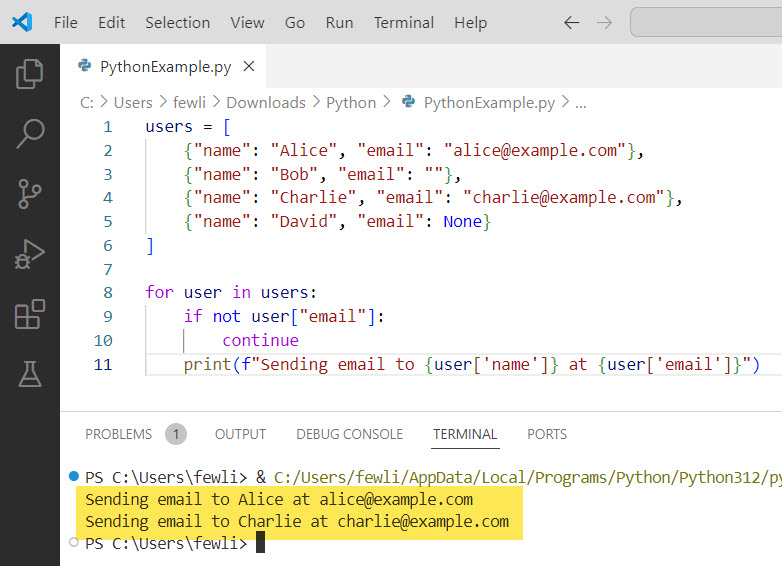
In this example, the continue statement skips users without an email address, and the output will be:
Sending email to Alice at alice@example.com
Sending email to Charlie at charlie@example.com
Here is the output in the screenshot below:
How To Skip First Iteration In A For Loop Python
Maybe there will be requirements to skip the first iteration in a for loop in Python using the two methods below slicing and using a counter.
Method 1: Using Slicing
Slicing allows you to create a sublist that excludes the first element, effectively skipping the first iteration. To skip the first iteration in a for loop in Python, you can use slicing to start the loop from the second element.
Example
Here is an example.
tasks = ["task1", "task2", "task3", "task4"]

# Using slicing to skip the first iteration
for task in tasks[1:]:
    print(f"Processing {task}")
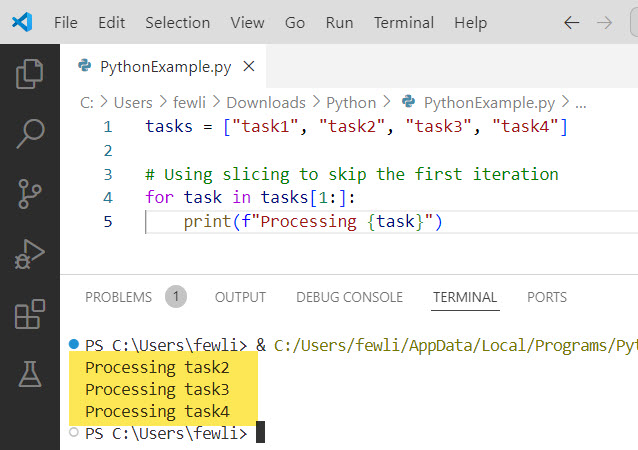
Here, tasks[1:] creates a sublist starting from the second element (index 1) to the end of the list. The loop processes “task2” to “task4”, skipping “task1”.
Output:
Processing task2
Processing task3
Processing task4
Here is the output of the above Python code, you can see in the screenshot below:
Method 2: Using a Counter
Let me show you another method to skip first iteration in a for loop in Python.
Another technique is to use a counter to track the number of iterations and conditionally skip the first iteration in a Python for loop.
Example
Here is an example.
tasks = ["task1", "task2", "task3", "task4"]

# Using a counter to skip the first iteration
for index, task in enumerate(tasks):
    if index == 0:
        continue
    print(f"Processing {task}")
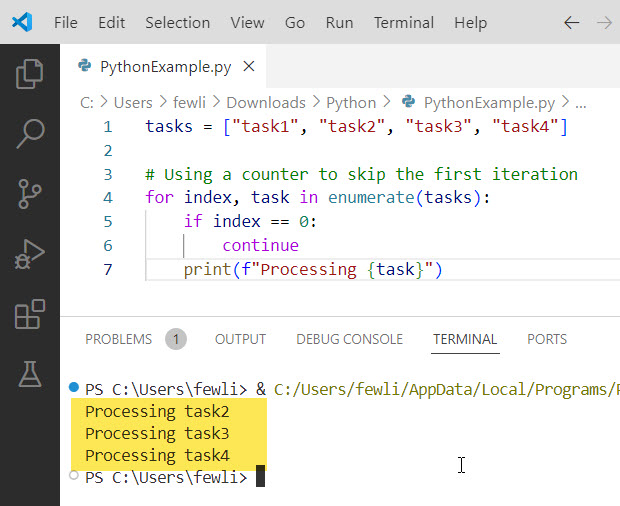
In this example, enumerate(tasks) provides both the index and the task. By checking if the index is 0, we can use the continue statement to skip the first iteration.
Output:
Processing task2
Processing task3
Processing task4
Here is the output you can see in the screenshot below:
Check out Python While Loop Break and Continue
How To Skip To Next Iteration In For Loop Python
Now, let me use two different methods and examples to show you how to skip to the next iteration in the for loop in Python.
You can skip to the next iteration in a for loop in Python can be achieved using the continue statement and by using a try...except block.
Method 1: Using the continue Statement
The continue statement immediately ends the current iteration and jumps to the next iteration of the for loop.
Example: Skipping Even Numbers
Suppose you have a list of numbers, and you want to print only the odd numbers:
numbers = [1, 2, 3, 4, 5, 6, 7, 8, 9, 10]

for number in numbers:
    if number % 2 == 0:
        continue
    print(number)
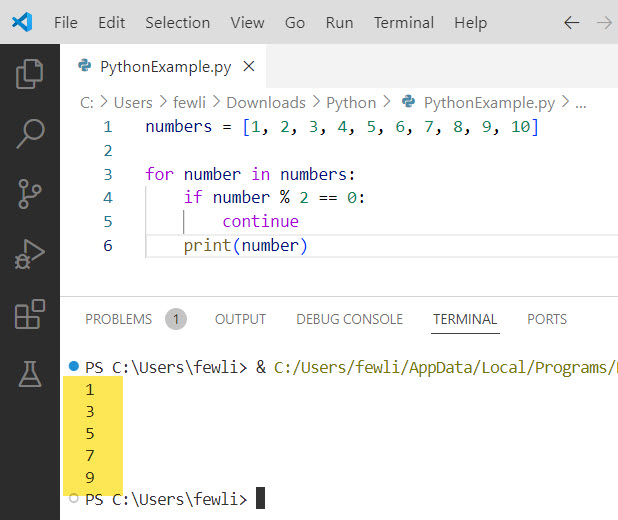
In this example, the continue statement skips the even numbers, so the output will be:
1
3
5
7
9
Here is the output you can see in the screenshot below:
Method 2: Using a try…except Block
A try...except block can be used to handle exceptions and skip iterations that raise those exceptions. Let me show you an example of how to skip to the next iteration in a for loop in Python.
Example: Skipping Non-Integer Strings
Suppose you have a list of strings, and you want to process only those that can be converted to integers:
data = ["123", "abc", "456", "def", "789"]

for item in data:
    try:
        number = int(item)
        print(f"Converted {item} to {number}")
    except ValueError:
        print(f"Skipping {item}, not an integer")
In this example, the try...except block skips strings that cannot be converted to integers, and the output will be:
Converted 123 to 123
Skipping abc, not an integer
Converted 456 to 456
Skipping def, not an integer
Converted 789 to 789
This is how to skip to the next iteration in a for loop in Python using the above two methods.
How To Skip Current Iteration In For Loop Python
Sometimes, you might want to skip the current iteration in a for loop in Python. Let me show you how to do this. There are two methods to skip the current iteration in the for loop in Python.
You can skip the current iteration in a for loop in Python using the continue statement and by using a try...except block.
Method 1: Using the continue Statement
The continue statement is used to immediately end the current iteration of the for loop and move on to the next iteration.
Example: Skipping Even Numbers
Suppose you have a list of numbers and you want to print only the odd numbers:
numbers = [1, 2, 3, 4, 5, 6, 7, 8, 9, 10]

for number in numbers:
    if number % 2 == 0:  # Check if the number is even
        continue  # Skip the current iteration
    print(number)
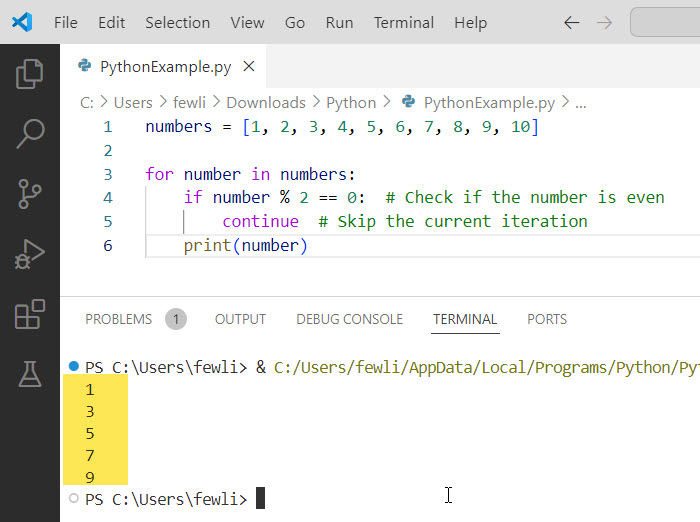
In this example, the continue statement skips the even numbers, so the output will be:
1
3
5
7
9
I executed the above code using VS code and you can see the output in the screenshot below:
Method 2: Using a try…except Block
A try...except block can be used to handle exceptions and skip the current iteration if an exception is raised in a Python for loop.
Example: Skipping Non-Integer Strings
Suppose you have a list of strings, and you want to process only those that can be converted to integers:
data = ["123", "abc", "456", "def", "789"]

for item in data:
    try:
        number = int(item)  # Attempt to convert the string to an integer
        print(f"Converted {item} to {number}")
    except ValueError:  # Handle the exception if conversion fails
        print(f"Skipping {item}, not an integer")
        continue  # Skip the current iteration
In this example, the try...except block skips strings that cannot be converted to integers, and the output will be:
Converted 123 to 123
Skipping abc, not an integer
Converted 456 to 456
Skipping def, not an integer
Converted 789 to 789
Conclusion
In this tutorial, I have explained how to skip an iteration in a for loop in Python using different methods, such as the continue statement and a try, except Block and the pass Statement. I have also executed examples for each method.

I’m Michelle Gallagher, a Senior Python Developer at Lumenalta based in New York, United States. I have over nine years of experience in the field of Python development, machine learning, and artificial intelligence. My expertise lies in Python and its extensive ecosystem of libraries and frameworks. Throughout my career, I’ve had the pleasure of working on a variety of projects that have leveraged my skills in Python and machine learning. Read more…