
In Python, variables can be easily reassigned to new values, even if they are of a different data type. In this tutorial, I will explain various methods of reassigning variables in Python with examples.
To reassign a variable in Python, simply use the assignment operator (=) to assign a new value to an existing variable. For example, if you have a variable price initially assigned a value of 9.99, you can reassign it to a new value like this: price = 12.49. Python allows you to reassign variables to different data types as well, providing flexibility in updating variable values as needed.
Basic Variable Reassignment
The simplest way to reassign a variable in Python is by using the assignment operator (=). Just use the assignment operator to assign a new value to an existing variable. Here’s an example:
# Initial assignment
price = 9.99
print(price)

# Reassignment
price = 12.49
print(price)
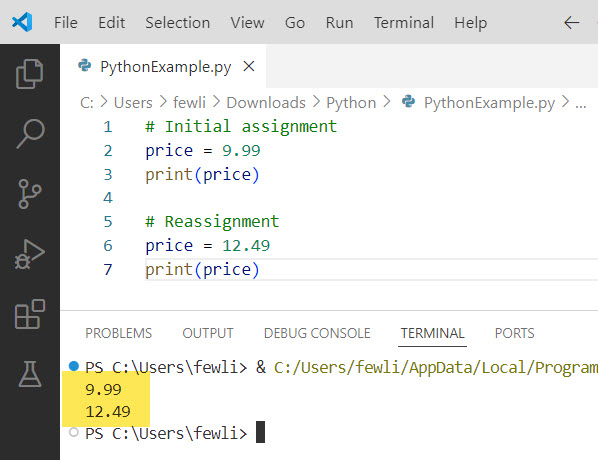
In this example, the price variable is initially assigned a value of 9.99. Later, it is reassigned to a new value of 12.49, reflecting a price change.
You can see the output in the screenshot below after I executed the above Python code.
Check out Check if a Variable Contains an Integer in Python
Reassigning Variables with Different Data Types
One of the powerful features of Python is that variables can be reassigned to a new value of different data types. This is known as dynamic typing. Here’s an example:
# Initial assignment
customer_name = "John Doe"

# Reassignment to a different data type
customer_name = ["John", "Doe"]
Initially, the customer_name variable is assigned a string value. Later, it is reassigned to a list containing the first and last name separately.
Reassigning Global Variables
In Python, you can reassign the value of a global variable with the value of another variable. Here’s an example:
# Global variables
sales_tax_rate = 0.08
total_price = 100.00

# Reassignment using another variable
final_price = total_price + (total_price * sales_tax_rate)
total_price = final_price
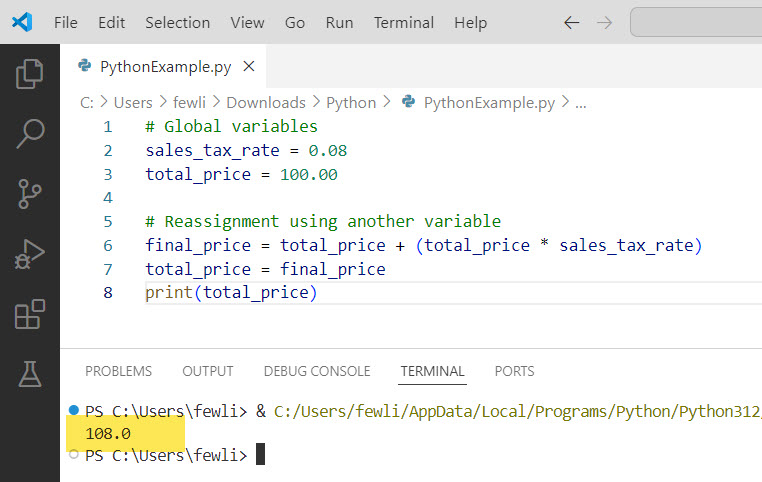
In this example, the total_price variable is reassigned using the value of final_price, which is calculated by adding the sales tax to the original total price.
You can see the output in the screenshot below:
Check out Check if a Variable is an Integer in Python
Python: reassign variable in a function
Now, let me show you how to reassign a variable in a function in Python with a complete example.
In Python, you can reassign a variable within a function using the assignment operator (=). Here’s an example:
def calculate_total(price, quantity):
    total = price * quantity
    if total > 100:
        discount = 0.1
        total = total - (total * discount)
    return total

item_price = 50
item_quantity = 3
final_total = calculate_total(item_price, item_quantity)
print(final_total)
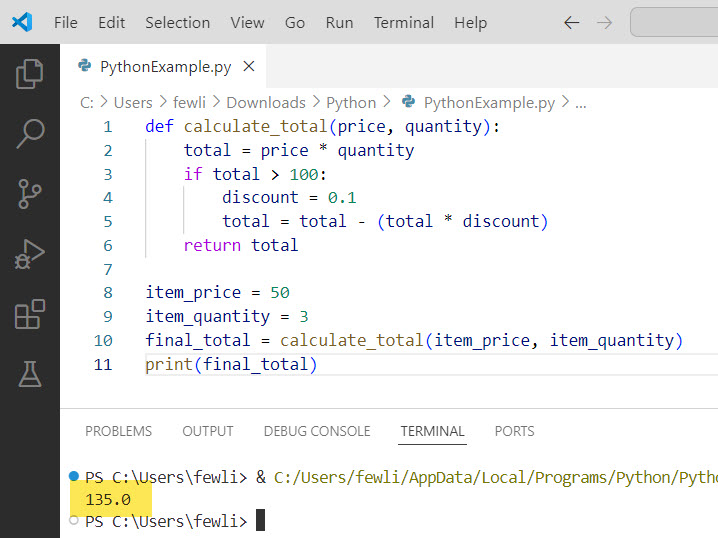
In this example, the calculate_total function takes price and quantity as parameters. Inside the function, the total variable is initially assigned the value of price * quantity. However, if the total exceeds 100, a discount of 10% is applied, and the total variable is reassigned to the discounted value using total = total - (total * discount).
The reassignment of the total variable within the function does not affect any variables outside the function scope. The updated value of total is returned by the function and stored in the final_total variable when the function is called with item_price and item_quantity as arguments.
I executed the above Python code, and you can see the output in the screenshot below:
Read How to Initialize an Empty Variable in Python?
Python: reassign variable in a loop
Now, let me show you another example where I will show you how to reassign a variable in the loop in Python.
In Python, you can reassign a variable within a loop. The loop variable gets reassigned on each iteration. Here’s an example:
total_sales = 0
sales_data = [100, 200, 150, 300, 250]

for sale in sales_data:
    total_sales = total_sales + sale
    print(f"Running total: {total_sales}")

average_sales = total_sales / len(sales_data)
print(f"Total sales: {total_sales}")
print(f"Average sales: {average_sales}")
In this example, we have a list called sales_data that contains sales figures for each day. The variable total_sales is initialized to 0 before the loop.
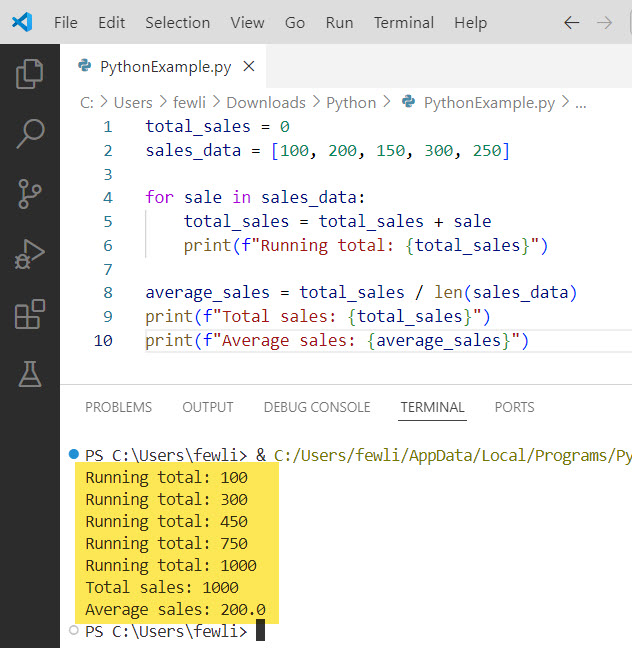
Inside the loop, we iterate over each sale in sales_data. On each iteration, the total_sales variable is reassigned by adding the current sale value to the existing total_sales. This accumulates the total sales amount.
After the loop, total_sales holds the final sum of all sales figures. We then calculate the average_sales by dividing total_sales by the number of sales data points using len(sales_data).
The output will be:
Running total: 100
Running total: 300
Running total: 450
Running total: 750
Running total: 1000
Total sales: 1000
Average sales: 200.0
As you can see, the total_sales variable is reassigned within the loop to keep track of the running total, and its final value is used outside the loop for further calculations.
Here is the output in the screenshot below:
Best Practices for Variable Reassignment
Here are some best practices you should follow while reassigning variables in Python:
- Use meaningful variable names that reflect their purpose.
- Avoid reassigning variables to completely unrelated values.
- Use comments to clarify the intent behind variable reassignments.
- Consider using constants (variables named in all caps) for values that shouldn’t be reassigned.
Conclusion
In this tutorial, I have explained how to reassign variables in Python with examples. I have also explained two examples related to the following:
- How to reassign a variable in a function in Python
- Reassign variables in a loop in Python
You may like the following tutorials:
- How to Multiply a Variable in Python?
- Call a Variable from Another Function in Python
- Python Variable Not Defined Error
- How to Check if an Environment Variable Exists in Python?

I’m Michelle Gallagher, a Senior Python Developer at Lumenalta based in New York, United States. I have over nine years of experience in the field of Python development, machine learning, and artificial intelligence. My expertise lies in Python and its extensive ecosystem of libraries and frameworks. Throughout my career, I’ve had the pleasure of working on a variety of projects that have leveraged my skills in Python and machine learning. Read more…