
Recently, someone asked me about initializing empty variables in Python. I suggested a few methods. In this tutorial, I will show you how to initialize an empty variable in Python with examples.
To initialize an empty variable in Python, you can assign it the value None. This indicates that the variable is currently empty and does not hold any meaningful data. For example:
student_name = NoneLater in the program, you can assign a value to the variable as needed, such as:
student_name = "John Doe"Initialize an Empty Variable in Python
There are various ways to initialize empty variables in Python, depending on the type of variable you need.
Method 1: Assigning None
The simplest way to initialize an empty variable in Python is by assigning it the value None. None is a built-in constant that represents the absence of a value. Here’s an example:
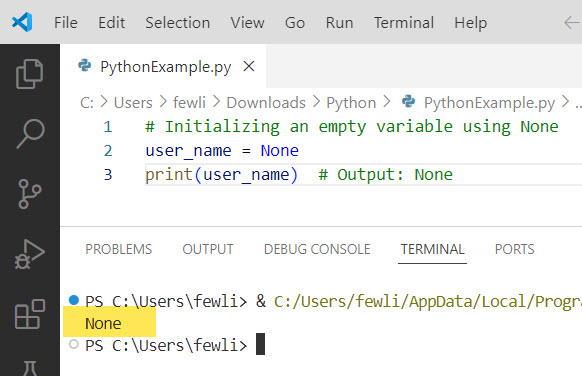
# Initializing an empty variable using None
user_name = None
print(user_name)  # Output: None
In this example, we declare a variable called user_name and assign it the value None. This indicates that the variable is currently empty and does not hold any meaningful data. Later in the program, you can assign a value to the variable as needed.
Here is the output you can see in the screenshot below:
Empty Strings:
You can initialize an empty string using single or double quotes for string variables in Python.
# Initializing an empty string
user_city = ""
print(f"User city: {user_city}")  # Output: User city:
Empty strings are particularly useful when you are dealing with text data that will be populated later.
Method 2: Using Empty Data Structures
Python provides several built-in data structures that can be used to initialize empty variables. Let’s explore a few commonly used ones:
Empty List:
You can initialize an empty list in Python using square brackets [] or the list() constructor.
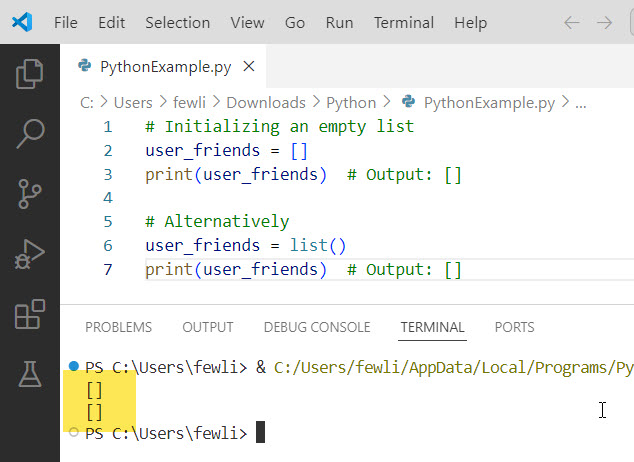
# Initializing an empty list
user_friends = []
print(user_friends)  # Output: []

# Alternatively
user_friends = list()
print(user_friends)  # Output: []
Empty lists are useful when you plan to store multiple values and need a placeholder to append items later.
Here is the output you can see in the screenshot below:
Empty Dictionary:
Dictionaries in Python are used to store key-value pairs. You can initialize an empty dictionary using curly braces {} or the dict() constructor.
# Initializing an empty dictionary
user_profile = {}
print(user_profile)  # Output: {}

# Alternatively
user_profile = dict()
print(user_profile)  # Output: {}
Empty dictionaries are useful when storing data in a structured format and want a placeholder for future key-value pairs.
Empty Set:
Sets are collections of unique elements. You can initialize an empty set using the set() constructor (note that {} creates an empty dictionary, not a set).
# Initializing an empty set
user_tags = set()
print(user_tags)  # Output: set()
Empty sets are useful when you need to store unique items and want a placeholder to add items later.
Empty Tuples:
Tuples are immutable sequences in Python. You can initialize an empty tuple using parentheses () or the tuple() constructor.
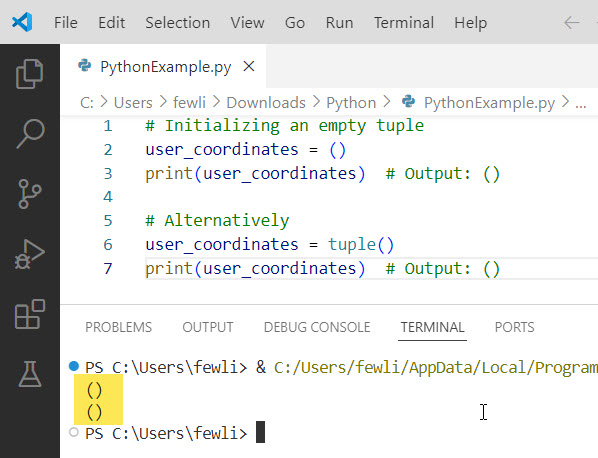
# Initializing an empty tuple
user_coordinates = ()
print(user_coordinates)  # Output: ()

# Alternatively
user_coordinates = tuple()
print(user_coordinates)  # Output: ()
Empty tuples are useful when you need a fixed collection of items that won’t change. You can see the output in the screenshot below:
Method 3: Using Default Values
When initializing variables, you can provide default values representing an empty state. This approach is particularly useful when working with numeric data types. Here’s an example:
# Initializing variables with default values
total_population = 0
average_income = 0.0
is_data_available = False
In this example, we initialize three variables with default values. total_population is set to 0, representing an empty integer value. average_income is set to 0.0, indicating an empty floating-point value. is_data_available is set to False, denoting an empty boolean value.
You can update these variables as you process data or perform calculations.
# Updating variables with meaningful values
total_population = 331002651  # US population as of 2020
average_income = 68703.0  # Average income in the US as of 2019
is_data_available = True
Conclusion
In this tutorial, I explained how to initialize an empty variable in Python using different methods. I recommended using the Assigning None for this.
You may also like the following tutorials:

I’m Michelle Gallagher, a Senior Python Developer at Lumenalta based in New York, United States. I have over nine years of experience in the field of Python development, machine learning, and artificial intelligence. My expertise lies in Python and its extensive ecosystem of libraries and frameworks. Throughout my career, I’ve had the pleasure of working on a variety of projects that have leveraged my skills in Python and machine learning. Read more…