
This concept is very tricky, and you should know it as a Python developer. In this tutorial, I will explain the difference between mutable and immutable in Python with examples.
What Are Mutable and Immutable Objects in Python?
Now, let us first understand what are mutable and immutable objects in Python.
Mutable Objects in Python
A mutable object is one whose state or value can be changed after it is created. This means you can modify, add, or remove elements from the object without creating a new object. Common examples of mutable objects in Python include lists, dictionaries, and sets.
Example of a Mutable Object: List
# Creating a list (mutable)
my_list = [1, 2, 3]

# Modifying the list
my_list.append(4)
print(my_list)  # Output: [1, 2, 3, 4]

# Changing an element in the list
my_list[0] = 10
print(my_list)  # Output: [10, 2, 3, 4]
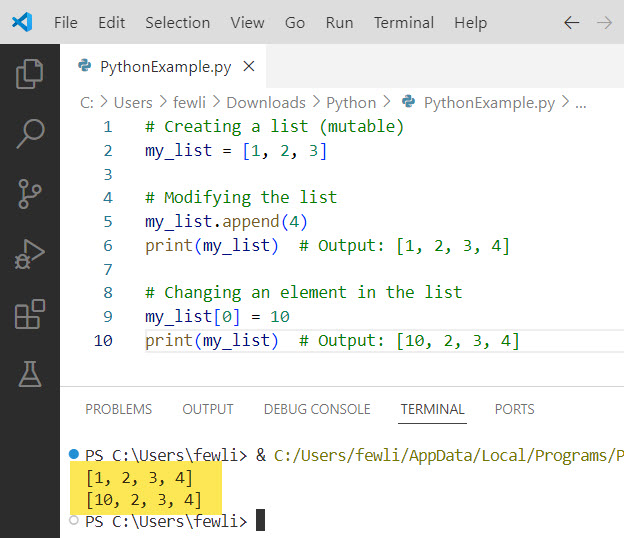
In this example, the list my_list is modified after its creation by appending a new element and changing an existing element.
Here is the output you can see the output in the screenshot below:
Immutable Objects in Python
On the other hand, an immutable object is one whose state or value cannot be changed after it is created. If you need to modify an immutable object, you must create a new object with the desired changes. Common examples of immutable objects in Python include strings, tuples, and integers.
Example of an Immutable Object: String
# Creating a string (immutable)
my_string = "Hello"

# Attempting to modify the string
try:
    my_string[0] = 'h'
except TypeError as e:
    print(e)  # Output: 'str' object does not support item assignment

# Creating a new string
new_string = 'h' + my_string[1:]
print(new_string)  # Output: "hello"
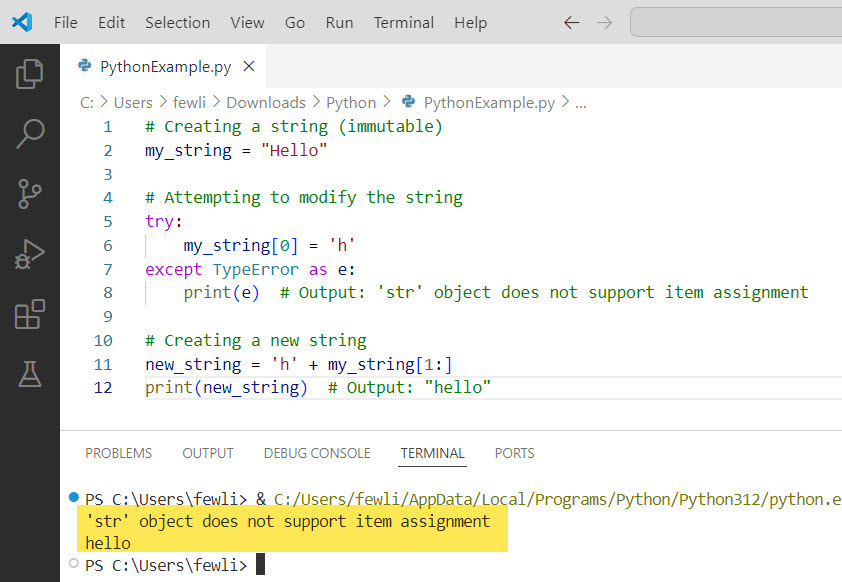
In this example, trying to change the first character of the string my_string raises a TypeError because strings are immutable. Instead, a new string new_string is created with the desired modification.
Here is the output in the screenshot below:
Check out Python Functions vs Methods
Why Does This Matter in Python Programming?
Below are a few reasons you should understand the difference between mutable and immutable objects in Python:
- Performance: Immutable objects are generally faster and more memory-efficient because they can be cached and reused. For example, integers and strings are often interned by Python to save memory and speed up operations.
- Safety: Immutable objects are inherently thread-safe and can be shared among multiple threads without the risk of data corruption.
- Predictability: Mutable objects can lead to unexpected behavior if they are modified in place, especially when passed as arguments to functions.
Check out Difference Between / and // in Python Division
Mutable And Immutable In Python Examples
Now, let me show you some examples to help you understand this concept better.
Lists (Mutable)
Lists in Python are mutable, which means you can change their contents without creating a new list.
# Creating a list
fruits = ["apple", "banana", "cherry"]

# Modifying the list
fruits[1] = "blueberry"
print(fruits)  # Output: ['apple', 'blueberry', 'cherry']

# Adding an element
fruits.append("date")
print(fruits)  # Output: ['apple', 'blueberry', 'cherry', 'date']
Tuples (Immutable)
Tuples are immutable in Python, so once they are created, their contents cannot be altered.
# Creating a tuple
coordinates = (10, 20)

# Attempting to modify the tuple
try:
    coordinates[0] = 15
except TypeError as e:
    print(e)  # Output: 'tuple' object does not support item assignment

# Creating a new tuple
new_coordinates = (15, 20)
print(new_coordinates)  # Output: (15, 20)
Strings (Immutable)
Strings in Python are also immutable. Any operation that modifies a string will create a new string.
# Creating a string
greeting = "Hello, World!"

# Attempting to modify the string
try:
    greeting[0] = "h"
except TypeError as e:
    print(e)  # Output: 'str' object does not support item assignment

# Creating a new string
new_greeting = "hello, World!"
print(new_greeting)  # Output: hello, World!
Dictionaries (Mutable)
Dictionaries are mutable in Python, allowing you to change values, add new key-value pairs, and remove existing ones.
# Creating a dictionary
person = {"name": "Alice", "age": 30}

# Modifying the dictionary
person["age"] = 31
print(person)  # Output: {'name': 'Alice', 'age': 31}

# Adding a new key-value pair
person["city"] = "New York"
print(person)  # Output: {'name': 'Alice', 'age': 31, 'city': 'New York'}
Sets (Mutable)
Sets are another example of mutable objects in Python. You can add or remove elements from a set.
# Creating a set
colors = {"red", "green", "blue"}

# Adding an element
colors.add("yellow")
print(colors)  # Output: {'red', 'green', 'blue', 'yellow'}

# Removing an element
colors.remove("green")
print(colors)  # Output: {'red', 'blue', 'yellow'}
Read Divide a Variable in Python
Mutable Vs. Immutable In Python
Here is a summary of the differences between mutable and immutable objects in Python:
| Feature | Mutable Objects | Immutable Objects |
|---|---|---|
| Definition | Can be changed after creation | Cannot be changed after creation |
| Examples | Lists, Dictionaries, Sets | Tuples, Strings, Integers |
| Memory Efficiency | Less memory efficient due to potential changes | More memory efficient as they can be shared |
| Thread-Safety | Not inherently thread-safe | Inherently thread-safe |
| Dictionary Keys | Cannot be used as dictionary keys | Can be used as dictionary keys |
| Modification | In-place modifications allowed | Requires creation of a new object for modifications |
| Use Case | When changes are expected | When consistency and safety are required |
Conclusion
I hope you now understand the difference between mutable and immutable objects in Python. Mutable objects like lists, dictionaries, and sets allow for in-place modifications and offer flexibility. Immutable objects like tuples, strings, and integers ensure data consistency and can be safely used as dictionary keys.
Feel free to leave a comment below if you still have any questions. I will reply ASAP.
You may also like the following tutorials:
- Subtract from a Variable in Python
- Multiply a Variable in Python
- How to Increment a Variable in Python?
- Difference Between = and == in Python With Examples

I’m Michelle Gallagher, a Senior Python Developer at Lumenalta based in New York, United States. I have over nine years of experience in the field of Python development, machine learning, and artificial intelligence. My expertise lies in Python and its extensive ecosystem of libraries and frameworks. Throughout my career, I’ve had the pleasure of working on a variety of projects that have leveraged my skills in Python and machine learning. Read more…