
I recently discussed this topic in the New York Python user group: the double asterisk (**) in Python. I thought I would share everything here. In this tutorial, I will explain how to use the double asterisk (**) in Python with various examples.
The double asterisk (**) in Python is primarily used for unpacking dictionaries, allowing you to pass dictionary items as keyword arguments to functions. For instance, if you have a dictionary containing customer details like {'name': 'John Doe', 'age': 30, 'city': 'New York'}, you can pass these details to a function by using **customer_data. This feature simplifies the process of handling dynamic sets of keyword arguments, making your code more flexible and readable.
Double Asterisk (**) in Python
Now. let me show you how to use the double asterisk (**) in Python with examples.
1. Unpack Dictionaries
The most common use of the double asterisk in Python is for unpacking dictionaries. This feature allows you to pass dictionary items as keyword arguments to a function. Now, let me show you an example.
Example: Unpacking Dictionaries
Let’s say you are working on a project that involves managing customer data for a retail store in New York. You have a dictionary containing customer details, and you need to pass these details as arguments to a function that processes customer orders.
def process_order(name, age, city):
    print(f"Processing order for {name}, aged {age}, from {city}.")

customer_data = {
    'name': 'John Doe',
    'age': 30,
    'city': 'New York'
}

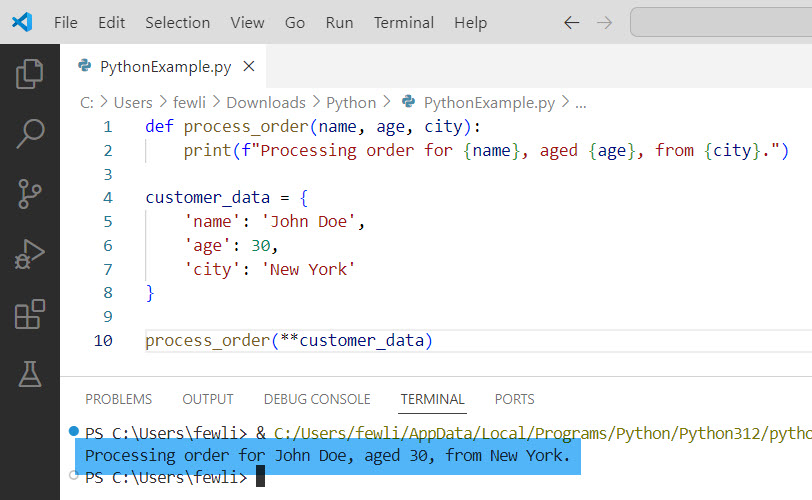
process_order(**customer_data)
In this example, the process_order function takes three arguments: name, age, and city. By using the double asterisk (**customer_data), we unpack the dictionary and pass its items as keyword arguments to the function.
I executed the above Python code, and you can see the output in the screenshot below:
Check out Asterisks (*) in Python
2. Merge Dictionaries
Another useful application of the double asterisk in Python is merging dictionaries. This feature is particularly handy when combining multiple dictionaries into one. Let me show you an example to help you understand better.
Example: Merging Dictionaries
Consider you are working on a project for a tech startup in Silicon Valley. You have separate dictionaries for employee details and their job roles, and you need to merge them.
employee_details = {
    'name': 'Alice Smith',
    'age': 28,
    'city': 'San Francisco'
}

job_roles = {
    'position': 'Software Engineer',
    'department': 'Development'
}

merged_dict = {**employee_details, **job_roles}
print(merged_dict)
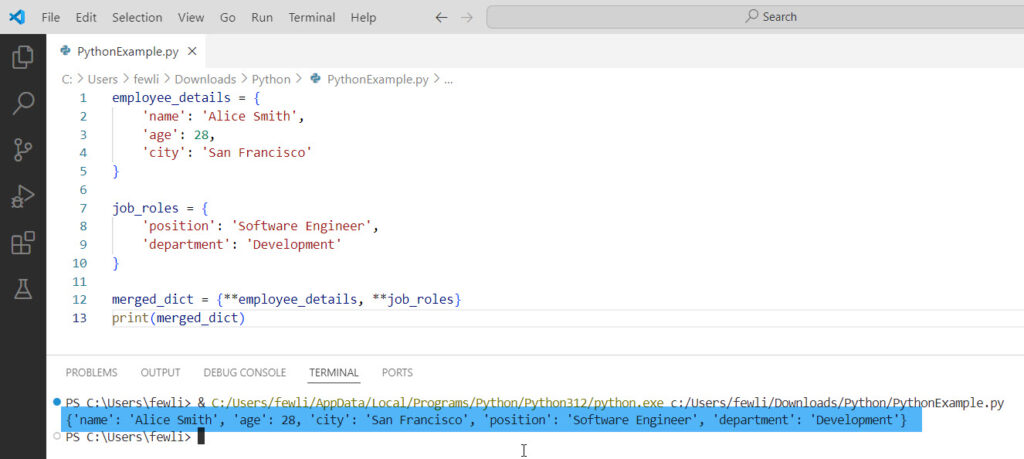
In this example, the double asterisk allows us to merge employee_details and job_roles into a single dictionary, merged_dict.
Here is the exact output in the screenshot below:
3. Function Definitions with Keyword Arguments
The double asterisk can also be used in Python function definitions to accept an arbitrary number of keyword arguments. This is particularly useful when you are unsure of the exact number of arguments that will be passed to the function.
Here is an example to help you understand it better.
Example: Function Definitions with Keyword Arguments
Imagine you are developing a web application for a restaurant in Chicago. You want to create a function that can handle various types of orders with different optional parameters.
def create_order(**kwargs):
    for key, value in kwargs.items():
        print(f"{key}: {value}")

create_order(dish='Pizza', size='Large', extra_cheese=True, delivery=True)
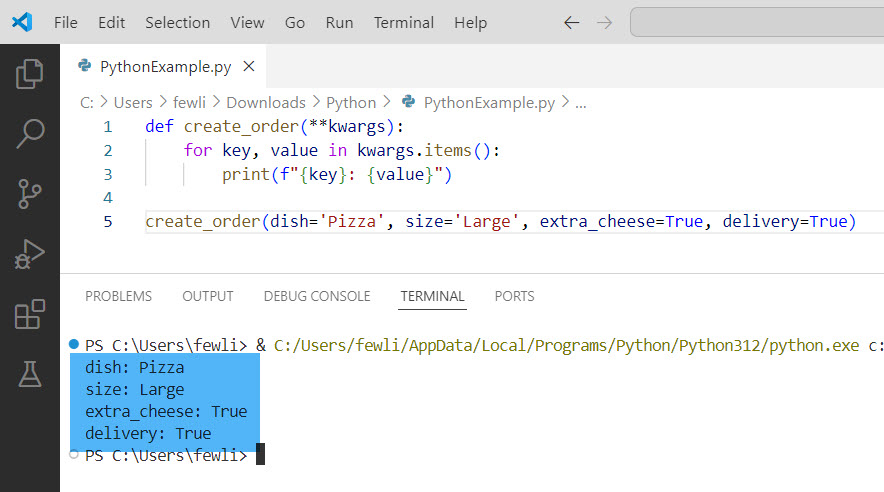
In this example, the create_order function uses **kwargs to accept any number of keyword arguments. This flexibility allows you to handle various types of orders with different optional parameters.
You can see the output in the screenshot below:
4. Using Double Asterisk with Classes
The double asterisk can also be used to initialize class instances in Python with dynamic keyword arguments. This is particularly useful when you have classes with a large number of attributes.
Example: Using Double Asterisk with Classes
Let’s say you are working on a project for a car rental service in Los Angeles. You want to create a Car class that can be initialized with various attributes.
class Car:
    def __init__(self, **kwargs):
        for key, value in kwargs.items():
            setattr(self, key, value)

car_attributes = {
    'make': 'Tesla',
    'model': 'Model S',
    'year': 2022,
    'color': 'Red'
}

car = Car(**car_attributes)
print(car.__dict__)
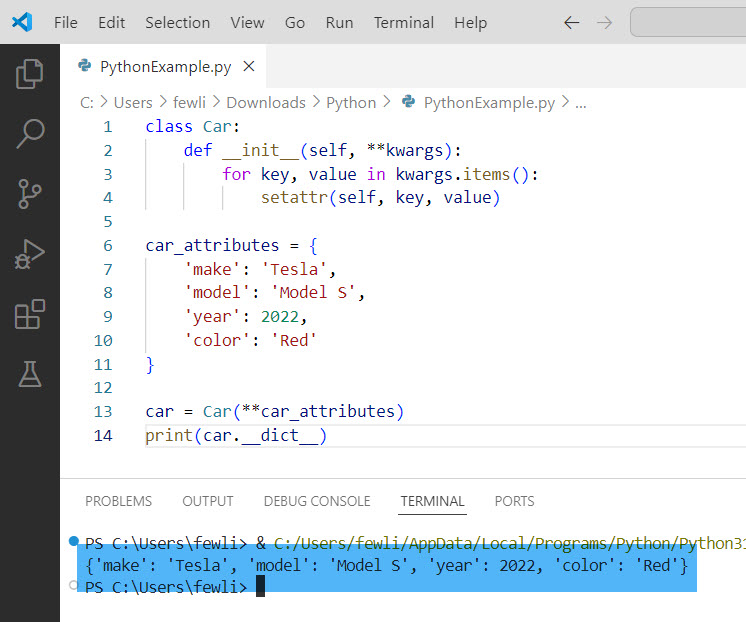
In this example, the Car class uses **kwargs to accept any number of keyword arguments. The setattr function is then used to set these attributes dynamically.
You can see the output in the screenshot below:
Conclusion
The double asterisk (**) in Python is used to unpack dictionaries, merge dictionaries, handle arbitrary keyword arguments in functions, and initialize class instances with dynamic attributes. In this tutorial, I have explained how to use double asterisk (**) in Python with examples.
You may also like:

I’m Michelle Gallagher, a Senior Python Developer at Lumenalta based in New York, United States. I have over nine years of experience in the field of Python development, machine learning, and artificial intelligence. My expertise lies in Python and its extensive ecosystem of libraries and frameworks. Throughout my career, I’ve had the pleasure of working on a variety of projects that have leveraged my skills in Python and machine learning. Read more…