
One of my team members recently wanted to check if a variable is null in Python. I suggested different methods. In this tutorial, I will show you how to check if a variable is Null in Python using different methods with examples.
What is Null in Python?
In Python, None is a special constant representing the absence of a value or a null value. It is an object of its own datatype, the NoneType. Python’s None is similar to null in other programming languages like JavaScript or Java.
my_variable = None
print(type(my_variable))  # Output: <class 'NoneType'>
Check if a Variable is Null in Python
Now, let me show you different methods to check if a variable is null in Python with examples.
Method 1: Using the is Operator
The best way to check if a variable is None or null in Python is by using the is operator. This operator checks for object identity, meaning it will return True if both sides of the operator point to the same object.
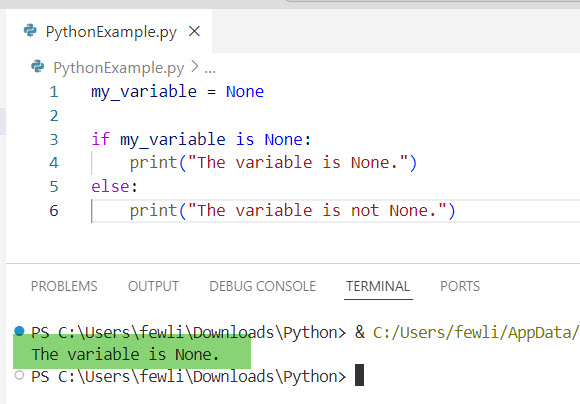
my_variable = None

if my_variable is None:
    print("The variable is None.")
else:
    print("The variable is not None.")
This method is recommended because it is clear and unambiguous. It directly checks if the variable is the None object.
Here is the output in the screenshot below:
Check out How to Set a Variable to Null in Python?
Method 2: Using the == Operator
Another way to check for None or null in Python is by using the equality operator ==. While this method works, it is generally less preferred than using is because it can give unexpected results if the variable is overloaded to behave differently with the == operator.
Here is an example.
my_variable = None

if my_variable == None:
    print("The variable is None.")
else:
    print("The variable is not None.")
However, for the sake of clarity and to avoid potential pitfalls, it is better to use the is operator.
Method 3: Using the not Keyword
In Python, None is considered a falsy value. This means that it evaluates to False in a boolean context. Therefore, you can use the not keyword to check if a variable is None.
Here is an example.
my_variable = None

if not my_variable:
    print("The variable is None or empty.")
else:
    print("The variable is not None.")
While this method works, it is not specific to None and will also evaluate to True for other falsy values such as 0, "" (an empty string), and [] (an empty list). Therefore, it is less precise than using is None.
Check out Check if a Variable is an Integer in Python
Method 4: Using len() Function
If you are dealing with collections (like lists, dictionaries, etc.), you might want to check if they are empty. Using the len() function can help you determine if a collection is empty or not.
Here is an example.
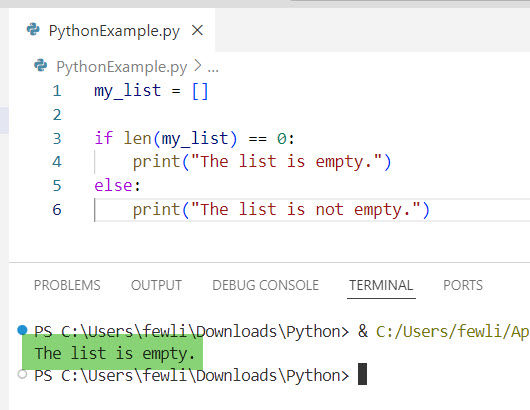
my_list = []

if len(my_list) == 0:
    print("The list is empty.")
else:
    print("The list is not empty.")
However, this method is not suitable for checking if a variable is None. It is specifically for checking the length of collections.
Here is the output in the screenshot below:
Read How to Change the Value of a Variable in Python?
Check if a Variable is Null in Python Examples
Now, let me show you a few examples of checking if a variable is null in Python.
Example 1: Validate User Input
Imagine you are developing a web application for a US-based e-commerce site. You need to validate if the user has entered a shipping address.
shipping_address = None  # User has not entered the address

if shipping_address is None:
    print("Please provide a shipping address.")
else:
    print("Shipping address provided.")
Example 2: Handling Optional Parameters
Suppose you are creating a function to calculate the sales tax for different states in the USA. The function should handle an optional discount parameter.
def calculate_sales_tax(price, state, discount=None):
    if discount is None:
        discount = 0  # No discount applied

    # Example tax rates
    tax_rates = {
        'CA': 0.075,
        'NY': 0.04,
        'TX': 0.0625
    }

    tax_rate = tax_rates.get(state, 0.05)  # Default tax rate
    total_price = price * (1 + tax_rate) - discount
    return total_price

print(calculate_sales_tax(100, 'CA'))  # Output: 107.5
print(calculate_sales_tax(100, 'CA', 10))  # Output: 97.5
Example 3: Data Processing
When processing data, especially from external sources, missing values are often encountered. For example, let’s say you are analyzing sales data from different US states.
sales_data = {
    'California': 1000,
    'Texas': None,
    'New York': 500
}

for state, sales in sales_data.items():
    if sales is None:
        print(f"Sales data for {state} is missing.")
    else:
        print(f"Sales data for {state}: ${sales}")
Conclusion
In this tutorial, I have explained how to check if a variable is null in Python using different methods. I hope this helps.
You may also like:
- How to Declare a Variable Without Assigning a Value in Python?
- How to Check if a Global Variable is Defined in Python?

I’m Michelle Gallagher, a Senior Python Developer at Lumenalta based in New York, United States. I have over nine years of experience in the field of Python development, machine learning, and artificial intelligence. My expertise lies in Python and its extensive ecosystem of libraries and frameworks. Throughout my career, I’ve had the pleasure of working on a variety of projects that have leveraged my skills in Python and machine learning. Read more…